
What shops say
Pharmacies running their day on Nexcod POS, in their own words. 552 reviews · 5★ average
★★★★★
I’ve been using this software for a while now, and honestly, I’m quite happy with it. In the beginning, I found it a little complicated because there are so many features and options. But once I got used to it, everything started making much more sense. Now I can easily use all the features without any confusion. It has made managing my daily work much easier, and overall, I’m really satisfied with the software. Definitely a good experience so far.
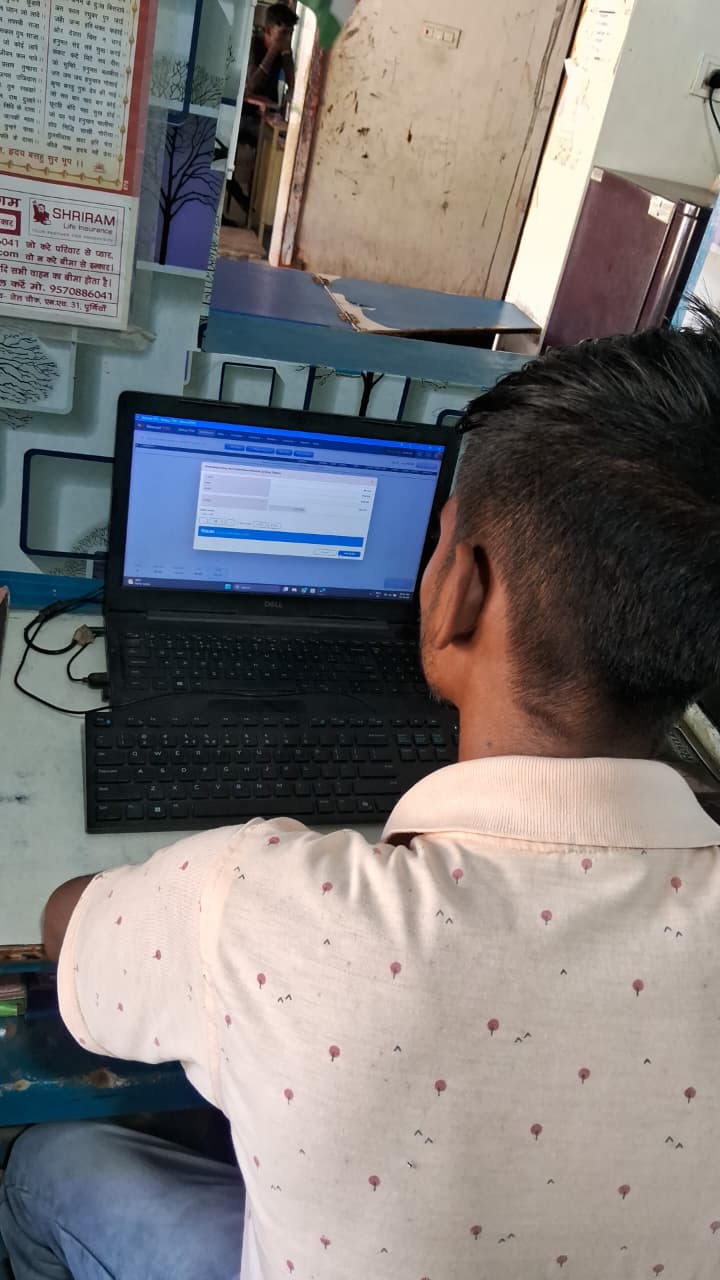 Rajnish Kumar
BIHAR
Rajnish Kumar
BIHAR
★★★★★
I’ve used a few billing and inventory software before, but Nexcod POS has been a really good experience for me. It took me a little time to get familiar with it, but now I’m pretty comfortable using it every day. Billing is quick, checking stock is easy, and the reports are actually useful. I like that I can manage most of my daily work from one place. Overall, it’s made things a lot easier for me.
★★★★★
शुरुआत में मुझे लगा था कि सॉफ्टवेयर थोड़ा मुश्किल है, लेकिन कुछ दिन इस्तेमाल करने के बाद इसकी आदत हो गई। अब बिलिंग से लेकर स्टॉक और रिपोर्ट्स तक का काम काफी आसानी से हो जाता है। खास बात ये है कि सारी चीज़ें एक ही जगह मिल जाती हैं, इसलिए काम भी जल्दी हो जाता है और काफी समय बचता है। Overall, इस्तेमाल करने के बाद अच्छा experience रहा।
★★★★★
I started using Nexcod POS recently and I really like how simple it is. In the beginning, I had a little trouble understanding some things, but now I’m used to it. Billing is quick, products are easy to find, and checking stock or reports doesn’t take much time. Everything feels quite organized, so overall it’s been a good experience for me.
★★★★★
I was mainly looking for something that could handle my billing and stock work without making things complicated. Nexcod POS has worked quite well for me so far. I like the fact that I can check products, stock, purchases and sales from the same software. The interface is also pretty easy to understand once you start using it regularly. Overall, it has been a useful addition to my daily work.
★★★★★
The software has been pretty useful for our day-to-day work. I mostly use it for billing, checking stock and keeping track of purchases. Everything is fairly easy to find, and after using it for a few days, I got comfortable with the system. It has definitely made some of the regular work a lot quicker.
★★★★★
I was a little unsure about switching to a new software at first, but Nexcod POS turned out to be easier than I expected. I mostly use it for billing, stock and purchase entries, and the whole process feels pretty straightforward. It has also helped me keep things more organized than before. Overall, it’s been a good experience so far.
★★★★★
The billing part is quick and I can find products easily. It has made the regular work a little easier for me.
★★★★★
I mostly use it for billing and checking stock. Once I got used to the software, it became quite simple to work with.
★★★★★
The reports are useful and I like having sales and purchase details in one place. It saves me from checking different records.
★★★★★
The software has a lot of features, but the main things I use every day are easy to find. Billing is also pretty smooth.
★★★★★
Product search is one of the things I like most. I can find what I need quickly while making a bill.
★★★★★
Stock checking has become easier for me. I can see the details without going through a lot of paperwork.
★★★★★
At first I needed some time to understand the software, but after regular use I became comfortable with it.
★★★★★
Billing and stock are both easy to manage. I also like that most of the options are available from the same dashboard.
★★★★★
The purchase section is quite straightforward. Adding items and checking previous purchases does not take much time.
★★★★★
I mainly use the software for sales, stock and reports. Everything is fairly clear once you get familiar with it.
★★★★★
The daily billing work feels faster now. Product search is quick and the bill details are easy to check.
★★★★★
I like the simple layout of the main screen. The options I need regularly are easy to access.
★★★★★
Keeping track of stock was a bit difficult earlier. With this software, I can check it much more easily.
★★★★★
The reports are helpful for checking how the business is doing. I usually check sales and stock from here.
★★★★★
It took me a few days to get familiar with it, but now the regular billing work is quite easy.
★★★★★
The billing screen is well organized and I can complete the usual work without much hassle.
★★★★★
I find the product search really convenient. It helps a lot when there are many products to look through.
★★★★★
The software covers most of the things I need for my store. Sales, purchases and stock can all be checked in one place.
★★★★★
The interface is easy enough to understand after some use. I mostly use it for billing and inventory.
★★★★★
I like having all the important business details together. It makes checking daily work less time consuming.
★★★★★
The billing process is smooth and the product search is fast. These are the features I use the most.
★★★★★
The stock reports are helpful when I need to check available items or find products that are running low.
★★★★★
I use it every day for basic billing and stock work. It is quite convenient once you get used to the options.
★★★★★
The dashboard gives me most of the information I need at a glance. It is handy during busy hours.
★★★★★
The billing and reporting options are easy to access. Overall, it has made the regular work more manageable.
★★★★★
I like the way the sales and stock details are arranged. Finding old information is also fairly easy.
★★★★★
The purchase order section is simple to use. I can add items and keep track of the order details without much trouble.
★★★★★
The software has a lot of options, but I mostly use a few regularly and those are easy to handle.
★★★★★
I can quickly check today's sales and other figures from the dashboard. That is useful for keeping an eye on the business.
★★★★★
The inventory section is useful for checking what is available. It has made stock management less confusing.
★★★★★
I like that billing, purchases and stock are connected. I don't have to enter the same information in different places.
★★★★★
The search works quickly even when there are many products. It makes billing more convenient during busy times.
★★★★★
The sales reports are easy to read and give a good overview of the daily numbers.
★★★★★
The software feels much more organized than keeping everything in registers. I can find most details when I need them.
★★★★★
The billing dashboard is straightforward and I can get through the regular work without much effort.
★★★★★
I mainly use it for stock and sales. Both sections are easy enough to understand and use regularly.
★★★★★
The reports are useful when I want to check sales or stock from previous days. Everything is kept in one system.
★★★★★
The billing work is quite smooth and I like being able to check stock while making a bill.
★★★★★
I did find it a little confusing at first, but after using it regularly I got the hang of it.
★★★★★
The software has helped keep the store records more organized. I can check purchases and sales without searching through registers.
★★★★★
The inventory reports are useful for keeping an eye on low stock and available products.
★★★★★
The main dashboard is clean and the common options are easy to reach. It works well for my everyday tasks.
★★★★★
I like the quick access options because they make it easier to move between the sections I use most.
★★★★★
The software has made checking sales and stock quicker for me. I use it regularly now.
★★★★★
The purchase and sales records are easy to maintain. It is nice having everything together.
★★★★★
Billing does not take much time now, especially because finding products is quick.
★★★★★
The reports give a clear idea of what is happening with sales and purchases. I find them useful for regular checking.
★★★★★
I mainly use the software for inventory and billing. Both are easy enough to manage on a regular basis.
★★★★★
For day-to-day billing, it feels pretty straightforward. Product search is quick, so making a bill does not take as long. That has made the counter work a little less stressful.
★★★★★
What works for me is that the common billing options are easy to reach. The item list is easier to manage than the old manual method I was using. It has reduced a fair bit of repetitive checking for me.
★★★★★
The everyday billing work is cleaner for me now. The reports give me a useful picture of sales without much digging. So far it has been a dependable part of the daily routine.
★★★★★
The part I notice most is how quickly I can finish a normal bill. The stock view is handy when I want to check an item before billing. Nothing feels unnecessarily flashy; it mostly helps me get the work done.
★★★★★
After using it for a while, the billing workflow feels quite natural. The totals and tax details are clear on the invoice. I still have things to learn, but the main workflow is comfortable now.
★★★★★
For day-to-day billing, it feels pretty straightforward. Purchase and sales details being in one place is convenient. That has made the counter work a little less stressful.
★★★★★
What works for me is that the common billing options are easy to reach. Sales entries and billing records are easier to review later. It has reduced a fair bit of repetitive checking for me.
★★★★★
The everyday billing work is cleaner for me now. It saves me from maintaining the same information in separate registers. So far it has been a dependable part of the daily routine.
★★★★★
Tana Taba Arunachal Pradesh 4.5 What works for me is that the common billing options are easy to reach. Product search is quick, so making a bill does not take as long. So far it has been a dependable part of the daily routine.
★★★★★
The everyday billing work is cleaner for me now. The item list is easier to manage than the old manual method I was using. Nothing feels unnecessarily flashy; it mostly helps me get the work done.
★★★★★
The part I notice most is how quickly I can finish a normal bill. The reports give me a useful picture of sales without much digging. I still have things to learn, but the main workflow is comfortable now.
★★★★★
After using it for a while, the billing workflow feels quite natural. The stock view is handy when I want to check an item before billing. That has made the counter work a little less stressful.
★★★★★
What works for me is that the common billing options are easy to reach. Purchase and sales details being in one place is convenient. So far it has been a dependable part of the daily routine.
★★★★★
The everyday billing work is cleaner for me now. Sales entries and billing records are easier to review later. Nothing feels unnecessarily flashy; it mostly helps me get the work done.
★★★★★
The part I notice most is how quickly I can finish a normal bill. It saves me from maintaining the same information in separate registers. I still have things to learn, but the main workflow is comfortable now.
★★★★★
The everyday billing work is cleaner for me now. Product search is quick, so making a bill does not take as long. I still have things to learn, but the main workflow is comfortable now.
★★★★★
The part I notice most is how quickly I can finish a normal bill. The item list is easier to manage than the old manual method I was using. That has made the counter work a little less stressful.
★★★★★
After using it for a while, the billing workflow feels quite natural. The reports give me a useful picture of sales without much digging. It has reduced a fair bit of repetitive checking for me.
★★★★★
For day-to-day billing, it feels pretty straightforward. The stock view is handy when I want to check an item before billing. So far it has been a dependable part of the daily routine.
★★★★★
What works for me is that the common billing options are easy to reach. The totals and tax details are clear on the invoice. Nothing feels unnecessarily flashy; it mostly helps me get the work done.
★★★★★
The everyday billing work is cleaner for me now. Purchase and sales details being in one place is convenient. I still have things to learn, but the main workflow is comfortable now.
★★★★★
The part I notice most is how quickly I can finish a normal bill. Sales entries and billing records are easier to review later. That has made the counter work a little less stressful.
★★★★★
After using it for a while, the billing workflow feels quite natural. It saves me from maintaining the same information in separate registers. It has reduced a fair bit of repetitive checking for me.
★★★★★
The part I notice most is how quickly I can finish a normal bill. Product search is quick, so making a bill does not take as long. It has reduced a fair bit of repetitive checking for me.
★★★★★
After using it for a while, the billing workflow feels quite natural. The item list is easier to manage than the old manual method I was using. So far it has been a dependable part of the daily routine.
★★★★★
For day-to-day billing, it feels pretty straightforward. The reports give me a useful picture of sales without much digging. Nothing feels unnecessarily flashy; it mostly helps me get the work done.
★★★★★
What works for me is that the common billing options are easy to reach. The stock view is handy when I want to check an item before billing. I still have things to learn, but the main workflow is comfortable now.
★★★★★
The everyday billing work is cleaner for me now. The totals and tax details are clear on the invoice. That has made the counter work a little less stressful.
★★★★★
The part I notice most is how quickly I can finish a normal bill. Purchase and sales details being in one place is convenient. It has reduced a fair bit of repetitive checking for me.
★★★★★
After using it for a while, the billing workflow feels quite natural. Sales entries and billing records are easier to review later. So far it has been a dependable part of the daily routine.
★★★★★
For day-to-day billing, it feels pretty straightforward. It saves me from maintaining the same information in separate registers. Nothing feels unnecessarily flashy; it mostly helps me get the work done.
★★★★★
After using it for a while, the billing workflow feels quite natural. Product search is quick, so making a bill does not take as long. Nothing feels unnecessarily flashy; it mostly helps me get the work done.
★★★★★
For day-to-day billing, it feels pretty straightforward. The item list is easier to manage than the old manual method I was using. I still have things to learn, but the main workflow is comfortable now.
★★★★★
What works for me is that the common billing options are easy to reach. The reports give me a useful picture of sales without much digging. That has made the counter work a little less stressful.
★★★★★
The everyday billing work is cleaner for me now. The stock view is handy when I want to check an item before billing. It has reduced a fair bit of repetitive checking for me.
★★★★★
The part I notice most is how quickly I can finish a normal bill. The totals and tax details are clear on the invoice. So far it has been a dependable part of the daily routine.
★★★★★
After using it for a while, the billing workflow feels quite natural. Purchase and sales details being in one place is convenient. Nothing feels unnecessarily flashy; it mostly helps me get the work done.
★★★★★
For day-to-day billing, it feels pretty straightforward. Sales entries and billing records are easier to review later. I still have things to learn, but the main workflow is comfortable now.
★★★★★
For a small shop setup, the software covers the basics without making them feel complicated. Purchase and sales details being in one place is convenient. For my regular billing, that is a useful improvement.
★★★★★
I mainly needed something that would keep billing and stock together. Sales entries and billing records are easier to review later. It is one of those tools I can use without thinking too much about the software itself.
★★★★★
I like that I do not have to jump between too many screens for regular work. It saves me from maintaining the same information in separate registers. Overall, it has been a positive change for my shop.
★★★★★
I was looking for something practical rather than overly complicated, and this fits that need. Sales entries and billing records are easier to review later. I especially notice the difference when there are several bills in a row.
★★★★★
Dhruv Shah Gujarat 4.5 I have been using it mostly at the counter, and it has settled into the routine well. It saves me from maintaining the same information in separate registers. For my regular billing, that is a useful improvement.
★★★★★
For a small shop setup, the software covers the basics without making them feel complicated. I can correct small entry mistakes without losing track of the bill. It is one of those tools I can use without thinking too much about the software itself.
★★★★★
I mainly needed something that would keep billing and stock together. I find the invoice process simple enough to use even during a busy period. Overall, it has been a positive change for my shop.
★★★★★
I like that I do not have to jump between too many screens for regular work. Product search is quick, so making a bill does not take as long. For the way I work, that balance of features and simplicity is useful.
★★★★★
I was looking for something practical rather than overly complicated, and this fits that need. The item list is easier to manage than the old manual method I was using. I especially notice the difference when there are several bills in a row.
★★★★★
I have been using it mostly at the counter, and it has settled into the routine well. The reports give me a useful picture of sales without much digging. For my regular billing, that is a useful improvement.
★★★★★
I was looking for something practical rather than overly complicated, and this fits that need. Purchase and sales details being in one place is convenient. It is one of those tools I can use without thinking too much about the software itself.
★★★★★
I have been using it mostly at the counter, and it has settled into the routine well. Sales entries and billing records are easier to review later. Overall, it has been a positive change for my shop.
★★★★★
I have been using it mostly at the counter, and it has settled into the routine well. Sales entries and billing records are easier to review later. Overall, it has been a positive change for my shop.
★★★★★
For a small shop setup, the software covers the basics without making them feel complicated. It saves me from maintaining the same information in separate registers. For the way I work, that balance of features and simplicity is useful.
★★★★★
I mainly needed something that would keep billing and stock together. I can correct small entry mistakes without losing track of the bill. I especially notice the difference when there are several bills in a row.
★★★★★
I like that I do not have to jump between too many screens for regular work. I find the invoice process simple enough to use even during a busy period. For my regular billing, that is a useful improvement.
★★★★★
I was looking for something practical rather than overly complicated, and this fits that need. Product search is quick, so making a bill does not take as long. It is one of those tools I can use without thinking too much about the software itself.
★★★★★
I have been using it mostly at the counter, and it has settled into the routine well. The item list is easier to manage than the old manual method I was using. Overall, it has been a positive change for my shop.
★★★★★
I mainly needed something that would keep billing and stock together. Sales entries and billing records are easier to review later. For my regular billing, that is a useful improvement.
★★★★★
I like that I do not have to jump between too many screens for regular work. It saves me from maintaining the same information in separate registers. It is one of those tools I can use without thinking too much about the software itself.
★★★★★
I was looking for something practical rather than overly complicated, and this fits that need. I can correct small entry mistakes without losing track of the bill. Overall, it has been a positive change for my shop.
★★★★★
I have been using it mostly at the counter, and it has settled into the routine well. I find the invoice process simple enough to use even during a busy period. For the way I work, that balance of features and simplicity is useful.
★★★★★
For a small shop setup, the software covers the basics without making them feel complicated. Product search is quick, so making a bill does not take as long. I especially notice the difference when there are several bills in a row.
★★★★★
I mainly needed something that would keep billing and stock together. The item list is easier to manage than the old manual method I was using. For my regular billing, that is a useful improvement.
★★★★★
I like that I do not have to jump between too many screens for regular work. The reports give me a useful picture of sales without much digging. It is one of those tools I can use without thinking too much about the software itself.
★★★★★
I mainly needed something that would keep billing and stock together. Purchase and sales details being in one place is convenient. Overall, it has been a positive change for my shop.
★★★★★
I like that I do not have to jump between too many screens for regular work. Sales entries and billing records are easier to review later. For the way I work, that balance of features and simplicity is useful.
★★★★★
I was looking for something practical rather than overly complicated, and this fits that need. It saves me from maintaining the same information in separate registers. I especially notice the difference when there are several bills in a row.
★★★★★
I have been using it mostly at the counter, and it has settled into the routine well. I can correct small entry mistakes without losing track of the bill. For my regular billing, that is a useful improvement.
★★★★★
For a small shop setup, the software covers the basics without making them feel complicated. I find the invoice process simple enough to use even during a busy period. It is one of those tools I can use without thinking too much about the software itself.
★★★★★
I mainly needed something that would keep billing and stock together. Product search is quick, so making a bill does not take as long. Overall, it has been a positive change for my shop.
★★★★★
I like that I do not have to jump between too many screens for regular work. The item list is easier to manage than the old manual method I was using. For the way I work, that balance of features and simplicity is useful.
★★★★★
I have been using it mostly at the counter, and it has settled into the routine well. Sales entries and billing records are easier to review later. It is one of those tools I can use without thinking too much about the software itself.
★★★★★
For a small shop setup, the software covers the basics without making them feel complicated. It saves me from maintaining the same information in separate registers. Overall, it has been a positive change for my shop.
★★★★★
I mainly needed something that would keep billing and stock together. I can correct small entry mistakes without losing track of the bill. For the way I work, that balance of features and simplicity is useful.
★★★★★
Karnataka 4.5 I like that I do not have to jump between too many screens for regular work. I find the invoice process simple enough to use even during a busy period. I especially notice the difference when there are several bills in a row.
★★★★★
I was looking for something practical rather than overly complicated, and this fits that need. Product search is quick, so making a bill does not take as long. For my regular billing, that is a useful improvement.
★★★★★
I have been using it mostly at the counter, and it has settled into the routine well. The item list is easier to manage than the old manual method I was using. It is one of those tools I can use without thinking too much about the software itself.
★★★★★
For a small shop setup, the software covers the basics without making them feel complicated. The reports give me a useful picture of sales without much digging. Overall, it has been a positive change for my shop.
★★★★★
I have been using it mostly at the counter, and it has settled into the routine well. Purchase and sales details being in one place is convenient. For the way I work, that balance of features and simplicity is useful.
★★★★★
For a small shop setup, the software covers the basics without making them feel complicated. Sales entries and billing records are easier to review later. I especially notice the difference when there are several bills in a row.
★★★★★
I mainly needed something that would keep billing and stock together. It saves me from maintaining the same information in separate registers. For my regular billing, that is a useful improvement.
★★★★★
I like that I do not have to jump between too many screens for regular work. I can correct small entry mistakes without losing track of the bill. It is one of those tools I can use without thinking too much about the software itself.
★★★★★
I was looking for something practical rather than overly complicated, and this fits that need. I find the invoice process simple enough to use even during a busy period. Overall, it has been a positive change for my shop.
★★★★★
I have been using it mostly at the counter, and it has settled into the routine well. Product search is quick, so making a bill does not take as long. For the way I work, that balance of features and simplicity is useful.
★★★★★
For a small shop setup, the software covers the basics without making them feel complicated. The item list is easier to manage than the old manual method I was using. I especially notice the difference when there are several bills in a row.
★★★★★
I like that I do not have to jump between too many screens for regular work. Sales entries and billing records are easier to review later. Overall, it has been a positive change for my shop.
★★★★★
I was looking for something practical rather than overly complicated, and this fits that need. It saves me from maintaining the same information in separate registers. For the way I work, that balance of features and simplicity is useful.
★★★★★
I have been using it mostly at the counter, and it has settled into the routine well. I can correct small entry mistakes without losing track of the bill. I especially notice the difference when there are several bills in a row.
★★★★★
For a small shop setup, the software covers the basics without making them feel complicated. I find the invoice process simple enough to use even during a busy period. For my regular billing, that is a useful improvement.
★★★★★
I mainly needed something that would keep billing and stock together. Product search is quick, so making a bill does not take as long. It is one of those tools I can use without thinking too much about the software itself.
★★★★★
I like that I do not have to jump between too many screens for regular work. The item list is easier to manage than the old manual method I was using. Overall, it has been a positive change for my shop.
★★★★★
I was looking for something practical rather than overly complicated, and this fits that need. The reports give me a useful picture of sales without much digging. For the way I work, that balance of features and simplicity is useful.
★★★★★
I like that I do not have to jump between too many screens for regular work. Purchase and sales details being in one place is convenient. I especially notice the difference when there are several bills in a row.
★★★★★
I was looking for something practical rather than overly complicated, and this fits that need. Sales entries and billing records are easier to review later. For my regular billing, that is a useful improvement.
★★★★★
I have been using it mostly at the counter, and it has settled into the routine well. It saves me from maintaining the same information in separate registers. It is one of those tools I can use without thinking too much about the software itself.
★★★★★
For a small shop setup, the software covers the basics without making them feel complicated. I can correct small entry mistakes without losing track of the bill. Overall, it has been a positive change for my shop.
★★★★★
I mainly needed something that would keep billing and stock together. I find the invoice process simple enough to use even during a busy period. For the way I work, that balance of features and simplicity is useful.
★★★★★
I like that I do not have to jump between too many screens for regular work. Product search is quick, so making a bill does not take as long. I especially notice the difference when there are several bills in a row.
★★★★★
I was looking for something practical rather than overly complicated, and this fits that need. The item list is easier to manage than the old manual method I was using. For my regular billing, that is a useful improvement.
★★★★★
For a small shop setup, the software covers the basics without making them feel complicated. Sales entries and billing records are easier to review later. For the way I work, that balance of features and simplicity is useful.
★★★★★
I mainly needed something that would keep billing and stock together. It saves me from maintaining the same information in separate registers. I especially notice the difference when there are several bills in a row.
★★★★★
I like that I do not have to jump between too many screens for regular work. I can correct small entry mistakes without losing track of the bill. For my regular billing, that is a useful improvement.
★★★★★
I was looking for something practical rather than overly complicated, and this fits that need. I find the invoice process simple enough to use even during a busy period. It is one of those tools I can use without thinking too much about the software itself.
★★★★★
I have been using it mostly at the counter, and it has settled into the routine well. Product search is quick, so making a bill does not take as long. Overall, it has been a positive change for my shop.
★★★★★
For a small shop setup, the software covers the basics without making them feel complicated. The item list is easier to manage than the old manual method I was using. For the way I work, that balance of features and simplicity is useful.
★★★★★
I mainly needed something that would keep billing and stock together. The reports give me a useful picture of sales without much digging. I especially notice the difference when there are several bills in a row.
★★★★★
The everyday billing work is cleaner for me now. The item list is easier to manage than the old manual method I was using. So far it has been a dependable part of the daily routine.
★★★★★
The part I notice most is how quickly I can finish a normal bill. The reports give me a useful picture of sales without much digging. Nothing feels unnecessarily flashy; it mostly helps me get the work done.
★★★★★
After using it for a while, the billing workflow feels quite natural. The stock view is handy when I want to check an item before billing. I still have things to learn, but the main workflow is comfortable now.
★★★★★
For day-to-day billing, it feels pretty straightforward. The totals and tax details are clear on the invoice. That has made the counter work a little less stressful.
★★★★★
What works for me is that the common billing options are easy to reach. Purchase and sales details being in one place is convenient. It has reduced a fair bit of repetitive checking for me.
★★★★★
The everyday billing work is cleaner for me now. Sales entries and billing records are easier to review later. So far it has been a dependable part of the daily routine.
★★★★★
The part I notice most is how quickly I can finish a normal bill. It saves me from maintaining the same information in separate registers. Nothing feels unnecessarily flashy; it mostly helps me get the work done.
★★★★★
For day-to-day billing, it feels pretty straightforward. The reports give me a useful picture of sales without much digging. It has reduced a fair bit of repetitive checking for me.
★★★★★
What works for me is that the common billing options are easy to reach. The stock view is handy when I want to check an item before billing. So far it has been a dependable part of the daily routine.
★★★★★
The everyday billing work is cleaner for me now. The totals and tax details are clear on the invoice. Nothing feels unnecessarily flashy; it mostly helps me get the work done.
★★★★★
The part I notice most is how quickly I can finish a normal bill. Purchase and sales details being in one place is convenient. I still have things to learn, but the main workflow is comfortable now.
★★★★★
After using it for a while, the billing workflow feels quite natural. Sales entries and billing records are easier to review later. That has made the counter work a little less stressful.
★★★★★
For day-to-day billing, it feels pretty straightforward. It saves me from maintaining the same information in separate registers. It has reduced a fair bit of repetitive checking for me.
★★★★★
What works for me is that the common billing options are easy to reach. I can correct small entry mistakes without losing track of the bill. So far it has been a dependable part of the daily routine.
★★★★★
For day-to-day billing, it feels pretty straightforward. The item list is easier to manage than the old manual method I was using. Nothing feels unnecessarily flashy; it mostly helps me get the work done.
★★★★★
What works for me is that the common billing options are easy to reach. The reports give me a useful picture of sales without much digging. I still have things to learn, but the main workflow is comfortable now.
★★★★★
The part I notice most is how quickly I can finish a normal bill. The totals and tax details are clear on the invoice. It has reduced a fair bit of repetitive checking for me.
★★★★★
After using it for a while, the billing workflow feels quite natural. Purchase and sales details being in one place is convenient. So far it has been a dependable part of the daily routine.
★★★★★
For day-to-day billing, it feels pretty straightforward. Sales entries and billing records are easier to review later. Nothing feels unnecessarily flashy; it mostly helps me get the work done.
★★★★★
What works for me is that the common billing options are easy to reach. It saves me from maintaining the same information in separate registers. I still have things to learn, but the main workflow is comfortable now.
★★★★★
The part I notice most is how quickly I can finish a normal bill. The reports give me a useful picture of sales without much digging. So far it has been a dependable part of the daily routine.
★★★★★
After using it for a while, the billing workflow feels quite natural. The stock view is handy when I want to check an item before billing. Nothing feels unnecessarily flashy; it mostly helps me get the work done.
★★★★★
For day-to-day billing, it feels pretty straightforward. The totals and tax details are clear on the invoice. I still have things to learn, but the main workflow is comfortable now.
★★★★★
What works for me is that the common billing options are easy to reach. Purchase and sales details being in one place is convenient. That has made the counter work a little less stressful.
★★★★★
The everyday billing work is cleaner for me now. Sales entries and billing records are easier to review later. It has reduced a fair bit of repetitive checking for me.
★★★★★
The part I notice most is how quickly I can finish a normal bill. It saves me from maintaining the same information in separate registers. So far it has been a dependable part of the daily routine.
★★★★★
After using it for a while, the billing workflow feels quite natural. I can correct small entry mistakes without losing track of the bill. Nothing feels unnecessarily flashy; it mostly helps me get the work done.
★★★★★
The part I notice most is how quickly I can finish a normal bill. The item list is easier to manage than the old manual method I was using. I still have things to learn, but the main workflow is comfortable now.
★★★★★
After using it for a while, the billing workflow feels quite natural. The reports give me a useful picture of sales without much digging. That has made the counter work a little less stressful.
★★★★★
For day-to-day billing, it feels pretty straightforward. The stock view is handy when I want to check an item before billing. It has reduced a fair bit of repetitive checking for me.
★★★★★
What works for me is that the common billing options are easy to reach. The totals and tax details are clear on the invoice. So far it has been a dependable part of the daily routine.
★★★★★
The everyday billing work is cleaner for me now. Purchase and sales details being in one place is convenient. Nothing feels unnecessarily flashy; it mostly helps me get the work done.
★★★★★
The part I notice most is how quickly I can finish a normal bill. Sales entries and billing records are easier to review later. I still have things to learn, but the main workflow is comfortable now.
★★★★★
After using it for a while, the billing workflow feels quite natural. It saves me from maintaining the same information in separate registers. That has made the counter work a little less stressful.
★★★★★
What works for me is that the common billing options are easy to reach. The reports give me a useful picture of sales without much digging. Nothing feels unnecessarily flashy; it mostly helps me get the work done.
★★★★★
The everyday billing work is cleaner for me now. The stock view is handy when I want to check an item before billing. I still have things to learn, but the main workflow is comfortable now.
★★★★★
The part I notice most is how quickly I can finish a normal bill. The totals and tax details are clear on the invoice. That has made the counter work a little less stressful.
★★★★★
After using it for a while, the billing workflow feels quite natural. Purchase and sales details being in one place is convenient. It has reduced a fair bit of repetitive checking for me.
★★★★★
For day-to-day billing, it feels pretty straightforward. Sales entries and billing records are easier to review later. So far it has been a dependable part of the daily routine.
★★★★★
What works for me is that the common billing options are easy to reach. It saves me from maintaining the same information in separate registers. Nothing feels unnecessarily flashy; it mostly helps me get the work done.
★★★★★
The everyday billing work is cleaner for me now. I can correct small entry mistakes without losing track of the bill. I still have things to learn, but the main workflow is comfortable now.
★★★★★
What works for me is that the common billing options are easy to reach. The item list is easier to manage than the old manual method I was using. That has made the counter work a little less stressful.
★★★★★
The everyday billing work is cleaner for me now. The reports give me a useful picture of sales without much digging. It has reduced a fair bit of repetitive checking for me.
★★★★★
The part I notice most is how quickly I can finish a normal bill. The stock view is handy when I want to check an item before billing. So far it has been a dependable part of the daily routine.
★★★★★
The part I notice most is how quickly I can finish a normal bill. The stock view is handy when I want to check an item before billing. So far it has been a dependable part of the daily routine.
★★★★★
The part I notice most is how quickly I can finish a normal bill. The stock view is handy when I want to check an item before billing. So far it has been a dependable part of the daily routine.
★★★★★
After using it for a while, the billing workflow feels quite natural. The totals and tax details are clear on the invoice. Nothing feels unnecessarily flashy; it mostly helps me get the work done.
★★★★★
For day-to-day billing, it feels pretty straightforward. Purchase and sales details being in one place is convenient. I still have things to learn, but the main workflow is comfortable now.
★★★★★
What works for me is that the common billing options are easy to reach. Sales entries and billing records are easier to review later. That has made the counter work a little less stressful.
★★★★★
The everyday billing work is cleaner for me now. It saves me from maintaining the same information in separate registers. It has reduced a fair bit of repetitive checking for me.
★★★★★
After using it for a while, the billing workflow feels quite natural. The reports give me a useful picture of sales without much digging. I still have things to learn, but the main workflow is comfortable now.
★★★★★
For day-to-day billing, it feels pretty straightforward. The stock view is handy when I want to check an item before billing. That has made the counter work a little less stressful.
★★★★★
What works for me is that the common billing options are easy to reach. The totals and tax details are clear on the invoice. It has reduced a fair bit of repetitive checking for me.
★★★★★
The everyday billing work is cleaner for me now. Purchase and sales details being in one place is convenient. So far it has been a dependable part of the daily routine.
★★★★★
The part I notice most is how quickly I can finish a normal bill. Sales entries and billing records are easier to review later. Nothing feels unnecessarily flashy; it mostly helps me get the work done.
★★★★★
After using it for a while, the billing workflow feels quite natural. It saves me from maintaining the same information in separate registers. I still have things to learn, but the main workflow is comfortable now.
★★★★★
For day-to-day billing, it feels pretty straightforward. I can correct small entry mistakes without losing track of the bill. That has made the counter work a little less stressful.
★★★★★
After using it for a while, the billing workflow feels quite natural. The item list is easier to manage than the old manual method I was using. It has reduced a fair bit of repetitive checking for me.
★★★★★
For day-to-day billing, it feels pretty straightforward. The reports give me a useful picture of sales without much digging. So far it has been a dependable part of the daily routine.
★★★★★
What works for me is that the common billing options are easy to reach. The stock view is handy when I want to check an item before billing. Nothing feels unnecessarily flashy; it mostly helps me get the work done.
★★★★★
The everyday billing work is cleaner for me now. The totals and tax details are clear on the invoice. I still have things to learn, but the main workflow is comfortable now.
★★★★★
The part I notice most is how quickly I can finish a normal bill. Purchase and sales details being in one place is convenient. That has made the counter work a little less stressful.
★★★★★
After using it for a while, the billing workflow feels quite natural. Sales entries and billing records are easier to review later. It has reduced a fair bit of repetitive checking for me.
★★★★★
For day-to-day billing, it feels pretty straightforward. It saves me from maintaining the same information in separate registers. So far it has been a dependable part of the daily routine.
★★★★★
The everyday billing work is cleaner for me now. The reports give me a useful picture of sales without much digging. That has made the counter work a little less stressful.
★★★★★
The part I notice most is how quickly I can finish a normal bill. The stock view is handy when I want to check an item before billing. It has reduced a fair bit of repetitive checking for me.
★★★★★
After using it for a while, the billing workflow feels quite natural. The totals and tax details are clear on the invoice. So far it has been a dependable part of the daily routine.
★★★★★
For day-to-day billing, it feels pretty straightforward. Purchase and sales details being in one place is convenient. Nothing feels unnecessarily flashy; it mostly helps me get the work done.
★★★★★
What works for me is that the common billing options are easy to reach. Sales entries and billing records are easier to review later. I still have things to learn, but the main workflow is comfortable now.
★★★★★
The everyday billing work is cleaner for me now. It saves me from maintaining the same information in separate registers. That has made the counter work a little less stressful.
★★★★★
The part I notice most is how quickly I can finish a normal bill. I can correct small entry mistakes without losing track of the bill. It has reduced a fair bit of repetitive checking for me.
★★★★★
I was looking for something practical rather than overly complicated, and this fits that need. It saves me from maintaining the same information in separate registers. Overall, it has been a positive change for my shop.
★★★★★
I have been using it mostly at the counter, and it has settled into the routine well. I can correct small entry mistakes without losing track of the bill. For the way I work, that balance of features and simplicity is useful.
★★★★★
For a small shop setup, the software covers the basics without making them feel complicated. I find the invoice process simple enough to use even during a busy period. I especially notice the difference when there are several bills in a row.
★★★★★
I mainly needed something that would keep billing and stock together. Product search is quick, so making a bill does not take as long. For my regular billing, that is a useful improvement.
★★★★★
I like that I do not have to jump between too many screens for regular work. The item list is easier to manage than the old manual method I was using. It is one of those tools I can use without thinking too much about the software itself.
★★★★★
I was looking for something practical rather than overly complicated, and this fits that need. The reports give me a useful picture of sales without much digging. Overall, it has been a positive change for my shop.
★★★★★
I have been using it mostly at the counter, and it has settled into the routine well. The stock view is handy when I want to check an item before billing. For the way I work, that balance of features and simplicity is useful.
★★★★★
I mainly needed something that would keep billing and stock together. I can correct small entry mistakes without losing track of the bill. It is one of those tools I can use without thinking too much about the software itself.
★★★★★
I like that I do not have to jump between too many screens for regular work. I find the invoice process simple enough to use even during a busy period. Overall, it has been a positive change for my shop.
★★★★★
I was looking for something practical rather than overly complicated, and this fits that need. Product search is quick, so making a bill does not take as long. For the way I work, that balance of features and simplicity is useful.
★★★★★
I have been using it mostly at the counter, and it has settled into the routine well. The item list is easier to manage than the old manual method I was using. I especially notice the difference when there are several bills in a row.
★★★★★
For a small shop setup, the software covers the basics without making them feel complicated. The reports give me a useful picture of sales without much digging. For my regular billing, that is a useful improvement.
★★★★★
I mainly needed something that would keep billing and stock together. The stock view is handy when I want to check an item before billing. It is one of those tools I can use without thinking too much about the software itself.
★★★★★
I like that I do not have to jump between too many screens for regular work. The totals and tax details are clear on the invoice. Overall, it has been a positive change for my shop.
★★★★★
I mainly needed something that would keep billing and stock together. It saves me from maintaining the same information in separate registers. For the way I work, that balance of features and simplicity is useful.
★★★★★
I like that I do not have to jump between too many screens for regular work. I can correct small entry mistakes without losing track of the bill. I especially notice the difference when there are several bills in a row.
★★★★★
I was looking for something practical rather than overly complicated, and this fits that need. I find the invoice process simple enough to use even during a busy period. For my regular billing, that is a useful improvement.
★★★★★
I have been using it mostly at the counter, and it has settled into the routine well. Product search is quick, so making a bill does not take as long. It is one of those tools I can use without thinking too much about the software itself.
★★★★★
For a small shop setup, the software covers the basics without making them feel complicated. The item list is easier to manage than the old manual method I was using. Overall, it has been a positive change for my shop.
★★★★★
I mainly needed something that would keep billing and stock together. The reports give me a useful picture of sales without much digging. For the way I work, that balance of features and simplicity is useful.
★★★★★
I like that I do not have to jump between too many screens for regular work. The stock view is handy when I want to check an item before billing. I especially notice the difference when there are several bills in a row.
★★★★★
We started using Nexcod POS after relying on a more manual setup for a while. We mainly needed a billing screen that the counter staff could learn without much hand-holding. Setup was not completely instant, especially because there was product data to organise, but it became routine afterwards. I would suggest checking it against your own shop workflow before deciding. On a busy evening, the basic steps are easy to repeat.
★★★★★
The stock side is what made the difference for us, especially when we have to check quantities quickly. I handle a good part of the billing work, so I use the software almost every day. For a small store like ours, it has been useful without making the counter work feel complicated. It took us a little time to settle on the way we wanted to use the system. It has reduced the need for separate stock notes.
★★★★★
Nexcod POS is now part of our normal counter work. I did not use every feature from day one; we added the useful ones as we got comfortable. For a medical store, expiry tracking matters, and I like having that information visible in the system. It is doing the job we bought it for, and I have no major complaint so far. That is one area where I prefer having a system reminder.
★★★★★
I have been using Nexcod POS for our store and so far it has fitted into the daily routine fairly well. GST billing was one of the things I wanted to get right, and the invoices have been clear enough for our use. It is not something I use for every possible feature, but the parts we need are useful. The format is clear enough for our regular customers.
★★★★★
Once the basic items were configured, the everyday work became fairly predictable. Our main reason for trying it was to keep billing and stock information in one place. The barcode scanner saves a few seconds on each item, which adds up when the counter gets busy. So far it has saved us some manual work, which was the main point for us. It is especially noticeable during a queue.
★★★★★
I mainly wanted to reduce the small bits of manual work around billing and stock. The customer ledger is useful for keeping track of people who pay later instead of paying at the counter. There was a short learning period for the counter staff, which was expected with any new billing system. For our day-to-day use, it has been a sensible choice. It gives us a quick view when a regular customer asks about a pending amount.
★★★★★
Being able to check sales information from the phone is useful when I am away from the billing desk. We moved our regular billing work to Nexcod POS recently. Overall, the experience has been good and fairly practical. We had to make a few small changes to our workflow in the beginning, then it was easier. I mainly use it for quick checks rather than full billing.
★★★★★
We started with billing and gradually began using a few of the other features too. The support team helped when we had questions during the initial setup. Sending the bill digitally is convenient when a customer does not want to wait for a printed copy. We are continuing with it and will probably use more of the stock features over time. We still print bills when someone asks for a paper copy.
★★★★★
We gave Nexcod POS a try for our day-to-day pharmacy billing. I check the sales reports at the end of the day to get a quick idea of how the counter performed. I would suggest checking it against your own shop workflow before deciding. I usually look at it once the counter is closed.
★★★★★
It took us a little time to settle on the way we wanted to use the system. I was looking for a practical POS system rather than something with a lot of extra complexity. Our cashier needed a little time at first, but the regular billing steps were picked up quite quickly. For a small store like ours, it has been useful without making the counter work feel complicated. The regular counter tasks became familiar fairly quickly.
★★★★★
We started using Nexcod POS after relying on a more manual setup for a while. We mainly needed a billing screen that the counter staff could learn without much hand-holding. I did not use every feature from day one; we added the useful ones as we got comfortable. It is doing the job we bought it for, and I have no major complaint so far. On a busy evening, the basic steps are easy to repeat.
★★★★★
The stock side is what made the difference for us, especially when we have to check quantities quickly. I handle a good part of the billing work, so I use the software almost every day. It is not something I use for every possible feature, but the parts we need are useful. The first few days needed some adjustment while we entered our products and understood the workflow. It has reduced the need for separate stock notes.
★★★★★
Nexcod POS is now part of our normal counter work. Once the basic items were configured, the everyday work became fairly predictable. For a medical store, expiry tracking matters, and I like having that information visible in the system. So far it has saved us some manual work, which was the main point for us. That is one area where I prefer having a system reminder.
★★★★★
I have been using Nexcod POS for our store and so far it has fitted into the daily routine fairly well. GST billing was one of the things I wanted to get right, and the invoices have been clear enough for our use. For our day-to-day use, it has been a sensible choice. The format is clear enough for our regular customers.
★★★★★
We had to make a few small changes to our workflow in the beginning, then it was easier. Our main reason for trying it was to keep billing and stock information in one place. The barcode scanner saves a few seconds on each item, which adds up when the counter gets busy. Overall, the experience has been good and fairly practical. It is especially noticeable during a queue.
★★★★★
I mainly wanted to reduce the small bits of manual work around billing and stock. The customer ledger is useful for keeping track of people who pay later instead of paying at the counter. The support team helped when we had questions during the initial setup. We are continuing with it and will probably use more of the stock features over time. It gives us a quick view when a regular customer asks about a pending amount.
★★★★★
Being able to check sales information from the phone is useful when I am away from the billing desk. We moved our regular billing work to Nexcod POS recently. I would suggest checking it against your own shop workflow before deciding. Setup was not completely instant, especially because there was product data to organise, but it became routine afterwards. I mainly use it for quick checks rather than full billing.
★★★★★
We started with billing and gradually began using a few of the other features too. It took us a little time to settle on the way we wanted to use the system. Sending the bill digitally is convenient when a customer does not want to wait for a printed copy. For a small store like ours, it has been useful without making the counter work feel complicated. We still print bills when someone asks for a paper copy.
★★★★★
We gave Nexcod POS a try for our day-to-day pharmacy billing. I check the sales reports at the end of the day to get a quick idea of how the counter performed. It is doing the job we bought it for, and I have no major complaint so far. I usually look at it once the counter is closed.
★★★★★
The first few days needed some adjustment while we entered our products and understood the workflow. I was looking for a practical POS system rather than something with a lot of extra complexity. Our cashier needed a little time at first, but the regular billing steps were picked up quite quickly. It is not something I use for every possible feature, but the parts we need are useful. The regular counter tasks became familiar fairly quickly.
★★★★★
We started using Nexcod POS after relying on a more manual setup for a while. We mainly needed a billing screen that the counter staff could learn without much hand-holding. Once the basic items were configured, the everyday work became fairly predictable. So far it has saved us some manual work, which was the main point for us. On a busy evening, the basic steps are easy to repeat.
★★★★★
The stock side is what made the difference for us, especially when we have to check quantities quickly. I handle a good part of the billing work, so I use the software almost every day. For our day-to-day use, it has been a sensible choice. There was a short learning period for the counter staff, which was expected with any new billing system. It has reduced the need for separate stock notes.
★★★★★
Nexcod POS is now part of our normal counter work. We had to make a few small changes to our workflow in the beginning, then it was easier. For a medical store, expiry tracking matters, and I like having that information visible in the system. Overall, the experience has been good and fairly practical. That is one area where I prefer having a system reminder.
★★★★★
Nexcod POS is now part of our normal counter work. We had to make a few small changes to our workflow in the beginning, then it was easier. For a medical store, expiry tracking matters, and I like having that information visible in the system. Overall, the experience has been good and fairly practical. That is one area where I prefer having a system reminder.
★★★★★
I have been using Nexcod POS for our store and so far it has fitted into the daily routine fairly well. GST billing was one of the things I wanted to get right, and the invoices have been clear enough for our use. We are continuing with it and will probably use more of the stock features over time. The format is clear enough for our regular customers.
★★★★★
Setup was not completely instant, especially because there was product data to organise, but it became routine afterwards. Our main reason for trying it was to keep billing and stock information in one place. The barcode scanner saves a few seconds on each item, which adds up when the counter gets busy. I would suggest checking it against your own shop workflow before deciding. It is especially noticeable during a queue.
★★★★★
I mainly wanted to reduce the small bits of manual work around billing and stock. The customer ledger is useful for keeping track of people who pay later instead of paying at the counter. It took us a little time to settle on the way we wanted to use the system. For a small store like ours, it has been useful without making the counter work feel complicated. It gives us a quick view when a regular customer asks about a pending amount.
★★★★★
Being able to check sales information from the phone is useful when I am away from the billing desk. We moved our regular billing work to Nexcod POS recently. It is doing the job we bought it for, and I have no major complaint so far. I did not use every feature from day one; we added the useful ones as we got comfortable. I mainly use it for quick checks rather than full billing.
★★★★★
We started with billing and gradually began using a few of the other features too. The first few days needed some adjustment while we entered our products and understood the workflow. Sending the bill digitally is convenient when a customer does not want to wait for a printed copy. It is not something I use for every possible feature, but the parts we need are useful. We still print bills when someone asks for a paper copy.
★★★★★
We gave Nexcod POS a try for our day-to-day pharmacy billing. I check the sales reports at the end of the day to get a quick idea of how the counter performed. So far it has saved us some manual work, which was the main point for us. I usually look at it once the counter is closed.
★★★★★
There was a short learning period for the counter staff, which was expected with any new billing system. I was looking for a practical POS system rather than something with a lot of extra complexity. Our cashier needed a little time at first, but the regular billing steps were picked up quite quickly. For our day-to-day use, it has been a sensible choice. The regular counter tasks became familiar fairly quickly.
★★★★★
We started using Nexcod POS after relying on a more manual setup for a while. We mainly needed a billing screen that the counter staff could learn without much hand-holding. We had to make a few small changes to our workflow in the beginning, then it was easier. Overall, the experience has been good and fairly practical. On a busy evening, the basic steps are easy to repeat.
★★★★★
The stock side is what made the difference for us, especially when we have to check quantities quickly. I handle a good part of the billing work, so I use the software almost every day. We are continuing with it and will probably use more of the stock features over time. The support team helped when we had questions during the initial setup. It has reduced the need for separate stock notes.
★★★★★
Nexcod POS is now part of our normal counter work. Setup was not completely instant, especially because there was product data to organise, but it became routine afterwards. For a medical store, expiry tracking matters, and I like having that information visible in the system. I would suggest checking it against your own shop workflow before deciding. That is one area where I prefer having a system reminder.
★★★★★
West Bengal West Bengal store: mobile checks are convenient 4.9 I have been using Nexcod POS for our store and so far it has fitted into the daily routine fairly well. GST billing was one of the things I wanted to get right, and the invoices have been clear enough for our use. For a small store like ours, it has been useful without making the counter work feel complicated. The format is clear enough for our regular customers.
★★★★★
I did not use every feature from day one; we added the useful ones as we got comfortable. Our main reason for trying it was to keep billing and stock information in one place. The barcode scanner saves a few seconds on each item, which adds up when the counter gets busy. It is doing the job we bought it for, and I have no major complaint so far. It is especially noticeable during a queue.
★★★★★
I mainly wanted to reduce the small bits of manual work around billing and stock. The customer ledger is useful for keeping track of people who pay later instead of paying at the counter. The first few days needed some adjustment while we entered our products and understood the workflow. It is not something I use for every possible feature, but the parts we need are useful. It gives us a quick view when a regular customer asks about a pending amount.
★★★★★
Being able to check sales information from the phone is useful when I am away from the billing desk. We moved our regular billing work to Nexcod POS recently. So far it has saved us some manual work, which was the main point for us. Once the basic items were configured, the everyday work became fairly predictable. I mainly use it for quick checks rather than full billing.
★★★★★
We started with billing and gradually began using a few of the other features too. There was a short learning period for the counter staff, which was expected with any new billing system. Sending the bill digitally is convenient when a customer does not want to wait for a printed copy. For our day-to-day use, it has been a sensible choice. We still print bills when someone asks for a paper copy.
★★★★★
We gave Nexcod POS a try for our day-to-day pharmacy billing. I check the sales reports at the end of the day to get a quick idea of how the counter performed. Overall, the experience has been good and fairly practical. I usually look at it once the counter is closed.
★★★★★
The support team helped when we had questions during the initial setup. I was looking for a practical POS system rather than something with a lot of extra complexity. Our cashier needed a little time at first, but the regular billing steps were picked up quite quickly. We are continuing with it and will probably use more of the stock features over time. The regular counter tasks became familiar fairly quickly.
★★★★★
We started using Nexcod POS after relying on a more manual setup for a while. We mainly needed a billing screen that the counter staff could learn without much hand-holding. Setup was not completely instant, especially because there was product data to organise, but it became routine afterwards. I would suggest checking it against your own shop workflow before deciding. On a busy evening, the basic steps are easy to repeat. We use it mainly for our regular store work, especially on day-to-day counter jobs.
★★★★★
We started using Nexcod POS after relying on a more manual setup for a while. We mainly needed a billing screen that the counter staff could learn without much hand-holding. Setup was not completely instant, especially because there was product data to organise, but it became routine afterwards. I would suggest checking it against your own shop workflow before deciding. On a busy evening, the basic steps are easy to repeat. We use it mainly for our regular store work, especially on day-to-day counter jobs.
★★★★★
The stock side is what made the difference for us, especially when we have to check quantities quickly. I handle a good part of the billing work, so I use the software almost every day. For a small store like ours, it has been useful without making the counter work feel complicated. It took us a little time to settle on the way we wanted to use the system. It has reduced the need for separate stock notes. We use it mainly for our regular store work, especially on day-to-day counter jobs.
★★★★★
Nexcod POS is now part of our normal counter work. I did not use every feature from day one; we added the useful ones as we got comfortable. For a medical store, expiry tracking matters, and I like having that information visible in the system. It is doing the job we bought it for, and I have no major complaint so far. That is one area where I prefer having a system reminder. We use it mainly for our regular store work, especially on day-to-day counter jobs.
★★★★★
I have been using Nexcod POS for our store and so far it has fitted into the daily routine fairly well. GST billing was one of the things I wanted to get right, and the invoices have been clear enough for our use. It is not something I use for every possible feature, but the parts we need are useful. The format is clear enough for our regular customers. We use it mainly for our regular store work, especially on day-to-day counter jobs.
★★★★★
Once the basic items were configured, the everyday work became fairly predictable. Our main reason for trying it was to keep billing and stock information in one place. The barcode scanner saves a few seconds on each item, which adds up when the counter gets busy. So far it has saved us some manual work, which was the main point for us. It is especially noticeable during a queue. We use it mainly for our regular store work, especially on day-to-day counter jobs.
★★★★★
I mainly wanted to reduce the small bits of manual work around billing and stock. The customer ledger is useful for keeping track of people who pay later instead of paying at the counter. There was a short learning period for the counter staff, which was expected with any new billing system. For our day-to-day use, it has been a sensible choice. It gives us a quick view when a regular customer asks about a pending amount. We use it mainly for our regular store work, especially on day-to-day counter jobs.
★★★★★
Being able to check sales information from the phone is useful when I am away from the billing desk. We moved our regular billing work to Nexcod POS recently. Overall, the experience has been good and fairly practical. We had to make a few small changes to our workflow in the beginning, then it was easier. I mainly use it for quick checks rather than full billing. We use it mainly for our regular store work, especially on day-to-day counter jobs.
★★★★★
We started with billing and gradually began using a few of the other features too. The support team helped when we had questions during the initial setup. Sending the bill digitally is convenient when a customer does not want to wait for a printed copy. We are continuing with it and will probably use more of the stock features over time. We still print bills when someone asks for a paper copy. We use it mainly for our regular store work, especially on day-to-day counter jobs.
★★★★★
We gave Nexcod POS a try for our day-to-day pharmacy billing. I check the sales reports at the end of the day to get a quick idea of how the counter performed. I would suggest checking it against your own shop workflow before deciding. I usually look at it once the counter is closed. We use it mainly for our regular store work, especially on day-to-day counter jobs.
★★★★★
It took us a little time to settle on the way we wanted to use the system. I was looking for a practical POS system rather than something with a lot of extra complexity. Our cashier needed a little time at first, but the regular billing steps were picked up quite quickly. For a small store like ours, it has been useful without making the counter work feel complicated. The regular counter tasks became familiar fairly quickly. We use it mainly for our regular store work, especially on day-to-day counter jobs.
★★★★★
We started using Nexcod POS after relying on a more manual setup for a while. We mainly needed a billing screen that the counter staff could learn without much hand-holding. I did not use every feature from day one; we added the useful ones as we got comfortable. It is doing the job we bought it for, and I have no major complaint so far. On a busy evening, the basic steps are easy to repeat. We use it mainly for our regular store work, especially on day-to-day counter jobs.
★★★★★
The stock side is what made the difference for us, especially when we have to check quantities quickly. I handle a good part of the billing work, so I use the software almost every day. It is not something I use for every possible feature, but the parts we need are useful. The first few days needed some adjustment while we entered our products and understood the workflow. It has reduced the need for separate stock notes. We use it mainly for our regular store work, especially on day-to-day counter jobs.
★★★★★
Nexcod POS is now part of our normal counter work. Once the basic items were configured, the everyday work became fairly predictable. For a medical store, expiry tracking matters, and I like having that information visible in the system. So far it has saved us some manual work, which was the main point for us. That is one area where I prefer having a system reminder. We use it mainly for our regular store work, especially on day-to-day counter jobs.
★★★★★
I have been using Nexcod POS for our store and so far it has fitted into the daily routine fairly well. GST billing was one of the things I wanted to get right, and the invoices have been clear enough for our use. For our day-to-day use, it has been a sensible choice. The format is clear enough for our regular customers. We use it mainly for our regular store work, especially on day-to-day counter jobs.
★★★★★
We had to make a few small changes to our workflow in the beginning, then it was easier. Our main reason for trying it was to keep billing and stock information in one place. The barcode scanner saves a few seconds on each item, which adds up when the counter gets busy. Overall, the experience has been good and fairly practical. It is especially noticeable during a queue. We use it mainly for our regular store work, especially on day-to-day counter jobs.
★★★★★
I mainly wanted to reduce the small bits of manual work around billing and stock. The customer ledger is useful for keeping track of people who pay later instead of paying at the counter. The support team helped when we had questions during the initial setup. We are continuing with it and will probably use more of the stock features over time. It gives us a quick view when a regular customer asks about a pending amount. We use it mainly for our regular store work, especially on day-to-day counter jobs.
★★★★★
Being able to check sales information from the phone is useful when I am away from the billing desk. We moved our regular billing work to Nexcod POS recently. I would suggest checking it against your own shop workflow before deciding. Setup was not completely instant, especially because there was product data to organise, but it became routine afterwards. I mainly use it for quick checks rather than full billing. We use it mainly for our regular store work, especially on day-to-day counter jobs.
★★★★★
We started with billing and gradually began using a few of the other features too. It took us a little time to settle on the way we wanted to use the system. Sending the bill digitally is convenient when a customer does not want to wait for a printed copy. For a small store like ours, it has been useful without making the counter work feel complicated. We still print bills when someone asks for a paper copy. We use it mainly for our regular store work, especially on day-to-day counter jobs.
★★★★★
We gave Nexcod POS a try for our day-to-day pharmacy billing. I check the sales reports at the end of the day to get a quick idea of how the counter performed. It is doing the job we bought it for, and I have no major complaint so far. I usually look at it once the counter is closed. We use it mainly for our regular store work, especially on day-to-day counter jobs.
★★★★★
The first few days needed some adjustment while we entered our products and understood the workflow. I was looking for a practical POS system rather than something with a lot of extra complexity. Our cashier needed a little time at first, but the regular billing steps were picked up quite quickly. It is not something I use for every possible feature, but the parts we need are useful. The regular counter tasks became familiar fairly quickly. We use it mainly for our regular store work, especially on day-to-day counter jobs.
★★★★★
The first few days needed some adjustment while we entered our products and understood the workflow. I was looking for a practical POS system rather than something with a lot of extra complexity. Our cashier needed a little time at first, but the regular billing steps were picked up quite quickly. It is not something I use for every possible feature, but the parts we need are useful. The regular counter tasks became familiar fairly quickly. We use it mainly for our regular store work, especially on day-to-day counter jobs.
★★★★★
The stock side is what made the difference for us, especially when we have to check quantities quickly. I handle a good part of the billing work, so I use the software almost every day. For our day-to-day use, it has been a sensible choice. There was a short learning period for the counter staff, which was expected with any new billing system. It has reduced the need for separate stock notes. We use it mainly for our regular store work, especially on day-to-day counter jobs.
★★★★★
Nexcod POS is now part of our normal counter work. We had to make a few small changes to our workflow in the beginning, then it was easier. For a medical store, expiry tracking matters, and I like having that information visible in the system. Overall, the experience has been good and fairly practical. That is one area where I prefer having a system reminder. We use it mainly for our regular store work, especially on day-to-day counter jobs.
★★★★★
I have been using Nexcod POS for our store and so far it has fitted into the daily routine fairly well. GST billing was one of the things I wanted to get right, and the invoices have been clear enough for our use. We are continuing with it and will probably use more of the stock features over time. The format is clear enough for our regular customers. We use it mainly for our regular store work, especially on day-to-day counter jobs.
★★★★★
Setup was not completely instant, especially because there was product data to organise, but it became routine afterwards. Our main reason for trying it was to keep billing and stock information in one place. The barcode scanner saves a few seconds on each item, which adds up when the counter gets busy. I would suggest checking it against your own shop workflow before deciding. It is especially noticeable during a queue. We use it mainly for our regular store work, especially on day-to-day counter jobs.
★★★★★
I mainly wanted to reduce the small bits of manual work around billing and stock. The customer ledger is useful for keeping track of people who pay later instead of paying at the counter. It took us a little time to settle on the way we wanted to use the system. For a small store like ours, it has been useful without making the counter work feel complicated. It gives us a quick view when a regular customer asks about a pending amount. We use it mainly for our regular store work, especially on day-to-day counter jobs.
★★★★★
Being able to check sales information from the phone is useful when I am away from the billing desk. We moved our regular billing work to Nexcod POS recently. It is doing the job we bought it for, and I have no major complaint so far. I did not use every feature from day one; we added the useful ones as we got comfortable. I mainly use it for quick checks rather than full billing. We use it mainly for our regular store work, especially on day-to-day counter jobs.
★★★★★
We started with billing and gradually began using a few of the other features too. The first few days needed some adjustment while we entered our products and understood the workflow. Sending the bill digitally is convenient when a customer does not want to wait for a printed copy. It is not something I use for every possible feature, but the parts we need are useful. We still print bills when someone asks for a paper copy. We use it mainly for our regular store work, especially on day-to-day counter jobs.
★★★★★
We gave Nexcod POS a try for our day-to-day pharmacy billing. I check the sales reports at the end of the day to get a quick idea of how the counter performed. So far it has saved us some manual work, which was the main point for us. I usually look at it once the counter is closed. We use it mainly for our regular store work, especially on day-to-day counter jobs.
★★★★★
There was a short learning period for the counter staff, which was expected with any new billing system. I was looking for a practical POS system rather than something with a lot of extra complexity. Our cashier needed a little time at first, but the regular billing steps were picked up quite quickly. For our day-to-day use, it has been a sensible choice. The regular counter tasks became familiar fairly quickly. We use it mainly for our regular store work, especially on day-to-day counter jobs.
★★★★★
We started using Nexcod POS after relying on a more manual setup for a while. We mainly needed a billing screen that the counter staff could learn without much hand-holding. We had to make a few small changes to our workflow in the beginning, then it was easier. Overall, the experience has been good and fairly practical. On a busy evening, the basic steps are easy to repeat. We use it mainly for our regular store work, especially on day-to-day counter jobs.
★★★★★
The stock side is what made the difference for us, especially when we have to check quantities quickly. I handle a good part of the billing work, so I use the software almost every day. We are continuing with it and will probably use more of the stock features over time. The support team helped when we had questions during the initial setup. It has reduced the need for separate stock notes. We use it mainly for our regular store work, especially on day-to-day counter jobs.
★★★★★
Nexcod POS is now part of our normal counter work. Setup was not completely instant, especially because there was product data to organise, but it became routine afterwards. For a medical store, expiry tracking matters, and I like having that information visible in the system. I would suggest checking it against your own shop workflow before deciding. That is one area where I prefer having a system reminder. We use it mainly for our regular store work, especially on day-to-day counter jobs.
★★★★★
I have been using Nexcod POS for our store and so far it has fitted into the daily routine fairly well. GST billing was one of the things I wanted to get right, and the invoices have been clear enough for our use. For a small store like ours, it has been useful without making the counter work feel complicated. The format is clear enough for our regular customers. We use it mainly for our regular store work, especially on day-to-day counter jobs.
★★★★★
I did not use every feature from day one; we added the useful ones as we got comfortable. Our main reason for trying it was to keep billing and stock information in one place. The barcode scanner saves a few seconds on each item, which adds up when the counter gets busy. It is doing the job we bought it for, and I have no major complaint so far. It is especially noticeable during a queue. We use it mainly for our regular store work, especially on day-to-day counter jobs.
★★★★★
I mainly wanted to reduce the small bits of manual work around billing and stock. The customer ledger is useful for keeping track of people who pay later instead of paying at the counter. The first few days needed some adjustment while we entered our products and understood the workflow. It is not something I use for every possible feature, but the parts we need are useful. It gives us a quick view when a regular customer asks about a pending amount. We use it mainly for our regular store work, especially on day-to-day counter jobs.
★★★★★
Being able to check sales information from the phone is useful when I am away from the billing desk. We moved our regular billing work to Nexcod POS recently. So far it has saved us some manual work, which was the main point for us. Once the basic items were configured, the everyday work became fairly predictable. I mainly use it for quick checks rather than full billing. We use it mainly for our regular store work, especially on day-to-day counter jobs.
★★★★★
We started with billing and gradually began using a few of the other features too. There was a short learning period for the counter staff, which was expected with any new billing system. Sending the bill digitally is convenient when a customer does not want to wait for a printed copy. For our day-to-day use, it has been a sensible choice. We still print bills when someone asks for a paper copy. We use it mainly for our regular store work, especially on day-to-day counter jobs.
★★★★★
We gave Nexcod POS a try for our day-to-day pharmacy billing. I check the sales reports at the end of the day to get a quick idea of how the counter performed. Overall, the experience has been good and fairly practical. I usually look at it once the counter is closed. We use it mainly for our regular store work, especially on day-to-day counter jobs.
★★★★★
The support team helped when we had questions during the initial setup. I was looking for a practical POS system rather than something with a lot of extra complexity. Our cashier needed a little time at first, but the regular billing steps were picked up quite quickly. We are continuing with it and will probably use more of the stock features over time. The regular counter tasks became familiar fairly quickly. We use it mainly for our regular store work, especially on day-to-day counter jobs.
★★★★★
We started using Nexcod POS after relying on a more manual setup for a while. We mainly needed a billing screen that the counter staff could learn without much hand-holding. Setup was not completely instant, especially because there was product data to organise, but it became routine afterwards. I would suggest checking it against your own shop workflow before deciding. On a busy evening, the basic steps are easy to repeat. We use it mainly for our regular store work, especially on day-to-day counter jobs.
★★★★★
The stock side is what made the difference for us, especially when we have to check quantities quickly. I handle a good part of the billing work, so I use the software almost every day. For a small store like ours, it has been useful without making the counter work feel complicated. It took us a little time to settle on the way we wanted to use the system. It has reduced the need for separate stock notes. We use it mainly for our regular store work, especially on day-to-day counter jobs.
★★★★★
Nexcod POS is now part of our normal counter work. I did not use every feature from day one; we added the useful ones as we got comfortable. For a medical store, expiry tracking matters, and I like having that information visible in the system. It is doing the job we bought it for, and I have no major complaint so far. That is one area where I prefer having a system reminder. We use it mainly for our regular store work, especially on day-to-day counter jobs.
★★★★★
I mainly wanted to reduce the small bits of manual work around billing and stock. The customer ledger is useful for keeping track of people who pay later instead of paying at the counter. There was a short learning period for the counter staff, which was expected with any new billing system. For our day-to-day use, it has been a sensible choice. It gives us a quick view when a regular customer asks about a pending amount. We use it mainly for our regular store work, especially on day-to-day counter jobs.
★★★★★
Being able to check sales information from the phone is useful when I am away from the billing desk. We moved our regular billing work to Nexcod POS recently. Overall, the experience has been good and fairly practical. We had to make a few small changes to our workflow in the beginning, then it was easier. I mainly use it for quick checks rather than full billing. We use it mainly for our regular store work, especially on day-to-day counter jobs.
★★★★★
We started with billing and gradually began using a few of the other features too. The support team helped when we had questions during the initial setup. Sending the bill digitally is convenient when a customer does not want to wait for a printed copy. We are continuing with it and will probably use more of the stock features over time. We still print bills when someone asks for a paper copy. We use it mainly for our regular store work, especially on day-to-day counter jobs.
★★★★★
We gave Nexcod POS a try for our day-to-day pharmacy billing. I check the sales reports at the end of the day to get a quick idea of how the counter performed. I would suggest checking it against your own shop workflow before deciding. I usually look at it once the counter is closed. We use it mainly for our regular store work, especially on day-to-day counter jobs.
★★★★★
It took us a little time to settle on the way we wanted to use the system. I was looking for a practical POS system rather than something with a lot of extra complexity. Our cashier needed a little time at first, but the regular billing steps were picked up quite quickly. For a small store like ours, it has been useful without making the counter work feel complicated. The regular counter tasks became familiar fairly quickly. We use it mainly for our regular store work, especially on day-to-day counter jobs.
★★★★★
We started using Nexcod POS after relying on a more manual setup for a while. We mainly needed a billing screen that the counter staff could learn without much hand-holding. I did not use every feature from day one; we added the useful ones as we got comfortable. It is doing the job we bought it for, and I have no major complaint so far. On a busy evening, the basic steps are easy to repeat. We use it mainly for our regular store work, especially on day-to-day counter jobs.
★★★★★
The stock side is what made the difference for us, especially when we have to check quantities quickly. I handle a good part of the billing work, so I use the software almost every day. It is not something I use for every possible feature, but the parts we need are useful. The first few days needed some adjustment while we entered our products and understood the workflow. It has reduced the need for separate stock notes. We use it mainly for our regular store work, especially on day-to-day counter jobs.
★★★★★
Nexcod POS is now part of our normal counter work. Once the basic items were configured, the everyday work became fairly predictable. For a medical store, expiry tracking matters, and I like having that information visible in the system. So far it has saved us some manual work, which was the main point for us. That is one area where I prefer having a system reminder. We use it mainly for our regular store work, especially on day-to-day counter jobs.
★★★★★
I have been using Nexcod POS for our store and so far it has fitted into the daily routine fairly well. GST billing was one of the things I wanted to get right, and the invoices have been clear enough for our use. For our day-to-day use, it has been a sensible choice. The format is clear enough for our regular customers. We use it mainly for our regular store work, especially on day-to-day counter jobs.
★★★★★
We had to make a few small changes to our workflow in the beginning, then it was easier. Our main reason for trying it was to keep billing and stock information in one place. The barcode scanner saves a few seconds on each item, which adds up when the counter gets busy. Overall, the experience has been good and fairly practical. It is especially noticeable during a queue. We use it mainly for our regular store work, especially on day-to-day counter jobs.
★★★★★
I mainly wanted to reduce the small bits of manual work around billing and stock. The customer ledger is useful for keeping track of people who pay later instead of paying at the counter. The support team helped when we had questions during the initial setup. We are continuing with it and will probably use more of the stock features over time. It gives us a quick view when a regular customer asks about a pending amount. We use it mainly for our regular store work, especially on day-to-day counter jobs.
★★★★★
Being able to check sales information from the phone is useful when I am away from the billing desk. We moved our regular billing work to Nexcod POS recently. I would suggest checking it against your own shop workflow before deciding. Setup was not completely instant, especially because there was product data to organise, but it became routine afterwards. I mainly use it for quick checks rather than full billing. We use it mainly for our regular store work, especially on day-to-day counter jobs.
★★★★★
We started with billing and gradually began using a few of the other features too. It took us a little time to settle on the way we wanted to use the system. Sending the bill digitally is convenient when a customer does not want to wait for a printed copy. For a small store like ours, it has been useful without making the counter work feel complicated. We still print bills when someone asks for a paper copy. We use it mainly for our regular store work, especially on day-to-day counter jobs.
★★★★★
We gave Nexcod POS a try for our day-to-day pharmacy billing. I check the sales reports at the end of the day to get a quick idea of how the counter performed. It is doing the job we bought it for, and I have no major complaint so far. I usually look at it once the counter is closed. We use it mainly for our regular store work, especially on day-to-day counter jobs.
★★★★★
The first few days needed some adjustment while we entered our products and understood the workflow. I was looking for a practical POS system rather than something with a lot of extra complexity. Our cashier needed a little time at first, but the regular billing steps were picked up quite quickly. It is not something I use for every possible feature, but the parts we need are useful. The regular counter tasks became familiar fairly quickly. We use it mainly for our regular store work, especially on day-to-day counter jobs.
★★★★★
We started using Nexcod POS after relying on a more manual setup for a while. We mainly needed a billing screen that the counter staff could learn without much hand-holding. Once the basic items were configured, the everyday work became fairly predictable. So far it has saved us some manual work, which was the main point for us. On a busy evening, the basic steps are easy to repeat. We use it mainly for our regular store work, especially on day-to-day counter jobs.
★★★★★
The stock side is what made the difference for us, especially when we have to check quantities quickly. I handle a good part of the billing work, so I use the software almost every day. For our day-to-day use, it has been a sensible choice. There was a short learning period for the counter staff, which was expected with any new billing system. It has reduced the need for separate stock notes. We use it mainly for our regular store work, especially on day-to-day counter jobs.
★★★★★
Nexcod POS is now part of our normal counter work. We had to make a few small changes to our workflow in the beginning, then it was easier. For a medical store, expiry tracking matters, and I like having that information visible in the system. Overall, the experience has been good and fairly practical. That is one area where I prefer having a system reminder. We use it mainly for our regular store work, especially on day-to-day counter jobs.
★★★★★
I have been using Nexcod POS for our store and so far it has fitted into the daily routine fairly well. GST billing was one of the things I wanted to get right, and the invoices have been clear enough for our use. We are continuing with it and will probably use more of the stock features over time. The format is clear enough for our regular customers. We use it mainly for our regular store work, especially on day-to-day counter jobs.
★★★★★
Setup was not completely instant, especially because there was product data to organise, but it became routine afterwards. Our main reason for trying it was to keep billing and stock information in one place. The barcode scanner saves a few seconds on each item, which adds up when the counter gets busy. I would suggest checking it against your own shop workflow before deciding. It is especially noticeable during a queue. We use it mainly for our regular store work, especially on day-to-day counter jobs.
★★★★★
Bihar Bihar shop: useful after setup 4.6 I mainly wanted to reduce the small bits of manual work around billing and stock. The customer ledger is useful for keeping track of people who pay later instead of paying at the counter. It took us a little time to settle on the way we wanted to use the system. For a small store like ours, it has been useful without making the counter work feel complicated. It gives us a quick view when a regular customer asks about a pending amount. We use it mainly for our regular store work, especially on day-to-day counter jobs.
★★★★★
Being able to check sales information from the phone is useful when I am away from the billing desk. We moved our regular billing work to Nexcod POS recently. It is doing the job we bought it for, and I have no major complaint so far. I did not use every feature from day one; we added the useful ones as we got comfortable. I mainly use it for quick checks rather than full billing. We use it mainly for our regular store work, especially on day-to-day counter jobs.
★★★★★
We started with billing and gradually began using a few of the other features too. The first few days needed some adjustment while we entered our products and understood the workflow. Sending the bill digitally is convenient when a customer does not want to wait for a printed copy. It is not something I use for every possible feature, but the parts we need are useful. We still print bills when someone asks for a paper copy. We use it mainly for our regular store work, especially on day-to-day counter jobs.
★★★★★
We gave Nexcod POS a try for our day-to-day pharmacy billing. I check the sales reports at the end of the day to get a quick idea of how the counter performed. So far it has saved us some manual work, which was the main point for us. I usually look at it once the counter is closed. We use it mainly for our regular store work, especially on day-to-day counter jobs.
★★★★★
There was a short learning period for the counter staff, which was expected with any new billing system. I was looking for a practical POS system rather than something with a lot of extra complexity. Our cashier needed a little time at first, but the regular billing steps were picked up quite quickly. For our day-to-day use, it has been a sensible choice. The regular counter tasks became familiar fairly quickly. We use it mainly for our regular store work, especially on day-to-day counter jobs.
★★★★★
We started using Nexcod POS after relying on a more manual setup for a while. We mainly needed a billing screen that the counter staff could learn without much hand-holding. We had to make a few small changes to our workflow in the beginning, then it was easier. Overall, the experience has been good and fairly practical. On a busy evening, the basic steps are easy to repeat. We use it mainly for our regular store work, especially on day-to-day counter jobs.
★★★★★
The stock side is what made the difference for us, especially when we have to check quantities quickly. I handle a good part of the billing work, so I use the software almost every day. We are continuing with it and will probably use more of the stock features over time. The support team helped when we had questions during the initial setup. It has reduced the need for separate stock notes. We use it mainly for our regular store work, especially on day-to-day counter jobs.
★★★★★
Nexcod POS is now part of our normal counter work. Setup was not completely instant, especially because there was product data to organise, but it became routine afterwards. For a medical store, expiry tracking matters, and I like having that information visible in the system. I would suggest checking it against your own shop workflow before deciding. That is one area where I prefer having a system reminder. We use it mainly for our regular store work, especially on day-to-day counter jobs.
★★★★★
I have been using Nexcod POS for our store and so far it has fitted into the daily routine fairly well. GST billing was one of the things I wanted to get right, and the invoices have been clear enough for our use. For a small store like ours, it has been useful without making the counter work feel complicated. The format is clear enough for our regular customers. We use it mainly for our regular store work, especially on day-to-day counter jobs.
★★★★★
I did not use every feature from day one; we added the useful ones as we got comfortable. Our main reason for trying it was to keep billing and stock information in one place. The barcode scanner saves a few seconds on each item, which adds up when the counter gets busy. It is doing the job we bought it for, and I have no major complaint so far. It is especially noticeable during a queue. We use it mainly for our regular store work, especially on day-to-day counter jobs.
★★★★★
I mainly wanted to reduce the small bits of manual work around billing and stock. The customer ledger is useful for keeping track of people who pay later instead of paying at the counter. The first few days needed some adjustment while we entered our products and understood the workflow. It is not something I use for every possible feature, but the parts we need are useful. It gives us a quick view when a regular customer asks about a pending amount. We use it mainly for our regular store work, especially on day-to-day counter jobs.
★★★★★
Being able to check sales information from the phone is useful when I am away from the billing desk. We moved our regular billing work to Nexcod POS recently. So far it has saved us some manual work, which was the main point for us. Once the basic items were configured, the everyday work became fairly predictable. I mainly use it for quick checks rather than full billing. We use it mainly for our regular store work, especially on day-to-day counter jobs.
★★★★★
We started with billing and gradually began using a few of the other features too. There was a short learning period for the counter staff, which was expected with any new billing system. Sending the bill digitally is convenient when a customer does not want to wait for a printed copy. For our day-to-day use, it has been a sensible choice. We still print bills when someone asks for a paper copy. We use it mainly for our regular store work, especially on day-to-day counter jobs. We started with billing and gradually began using a few of the other features too. There was a short learning period for the counter staff, which was expected with any new billing system. Sending the bill digitally is convenient when a customer does not want to wait for a printed copy. For our day-to-day use, it has been a sensible choice. We still print bills when someone asks for a paper copy. We use it mainly
★★★★★
We gave Nexcod POS a try for our day-to-day pharmacy billing. I check the sales reports at the end of the day to get a quick idea of how the counter performed. Overall, the experience has been good and fairly practical. I usually look at it once the counter is closed. We use it mainly for our regular store work, especially on day-to-day counter jobs.
★★★★★
The support team helped when we had questions during the initial setup. I was looking for a practical POS system rather than something with a lot of extra complexity. Our cashier needed a little time at first, but the regular billing steps were picked up quite quickly. We are continuing with it and will probably use more of the stock features over time. The regular counter tasks became familiar fairly quickly. We use it mainly for our regular store work, especially on day-to-day counter jobs.
★★★★★
We started using Nexcod POS after relying on a more manual setup for a while. We mainly needed a billing screen that the counter staff could learn without much hand-holding. Setup was not completely instant, especially because there was product data to organise, but it became routine afterwards. I would suggest checking it against your own shop workflow before deciding. On a busy evening, the basic steps are easy to repeat. We use it mainly for our regular store work, especially on day-to-day counter jobs.
★★★★★
The stock side is what made the difference for us, especially when we have to check quantities quickly. I handle a good part of the billing work, so I use the software almost every day. For a small store like ours, it has been useful without making the counter work feel complicated. It took us a little time to settle on the way we wanted to use the system. It has reduced the need for separate stock notes. We use it mainly for our regular store work, especially on day-to-day counter jobs.
★★★★★
Nexcod POS is now part of our normal counter work. I did not use every feature from day one; we added the useful ones as we got comfortable. For a medical store, expiry tracking matters, and I like having that information visible in the system. It is doing the job we bought it for, and I have no major complaint so far. That is one area where I prefer having a system reminder. We use it mainly for our regular store work, especially on day-to-day counter jobs.
★★★★★
I have been using Nexcod POS for our store and so far it has fitted into the daily routine fairly well. GST billing was one of the things I wanted to get right, and the invoices have been clear enough for our use. It is not something I use for every possible feature, but the parts we need are useful. The format is clear enough for our regular customers. We use it mainly for our regular store work, especially on day-to-day counter jobs.
★★★★★
Once the basic items were configured, the everyday work became fairly predictable. Our main reason for trying it was to keep billing and stock information in one place. The barcode scanner saves a few seconds on each item, which adds up when the counter gets busy. So far it has saved us some manual work, which was the main point for us. It is especially noticeable during a queue. We use it mainly for our regular store work, especially on day-to-day counter jobs.
★★★★★
I mainly wanted to reduce the small bits of manual work around billing and stock. The customer ledger is useful for keeping track of people who pay later instead of paying at the counter. There was a short learning period for the counter staff, which was expected with any new billing system. For our day-to-day use, it has been a sensible choice. It gives us a quick view when a regular customer asks about a pending amount. We use it mainly for our regular store work, especially on day-to-day counter jobs.
★★★★★
Being able to check sales information from the phone is useful when I am away from the billing desk. We moved our regular billing work to Nexcod POS recently. Overall, the experience has been good and fairly practical. We had to make a few small changes to our workflow in the beginning, then it was easier. I mainly use it for quick checks rather than full billing. We use it mainly for our regular store work, especially on day-to-day counter jobs.
★★★★★
We started with billing and gradually began using a few of the other features too. The support team helped when we had questions during the initial setup. Sending the bill digitally is convenient when a customer does not want to wait for a printed copy. We are continuing with it and will probably use more of the stock features over time. We still print bills when someone asks for a paper copy. We use it mainly for our regular store work, especially on day-to-day counter jobs.
★★★★★
We gave Nexcod POS a try for our day-to-day pharmacy billing. I check the sales reports at the end of the day to get a quick idea of how the counter performed. I would suggest checking it against your own shop workflow before deciding. I usually look at it once the counter is closed. We use it mainly for our regular store work, especially on day-to-day counter jobs.
★★★★★
It took us a little time to settle on the way we wanted to use the system. I was looking for a practical POS system rather than something with a lot of extra complexity. Our cashier needed a little time at first, but the regular billing steps were picked up quite quickly. For a small store like ours, it has been useful without making the counter work feel complicated. The regular counter tasks became familiar fairly quickly. We use it mainly for our regular store work, especially on day-to-day counter jobs.
★★★★★
We started using Nexcod POS after relying on a more manual setup for a while. We mainly needed a billing screen that the counter staff could learn without much hand-holding. I did not use every feature from day one; we added the useful ones as we got comfortable. It is doing the job we bought it for, and I have no major complaint so far. On a busy evening, the basic steps are easy to repeat. We use it mainly for our regular store work, especially on day-to-day counter jobs.
★★★★★
The stock side is what made the difference for us, especially when we have to check quantities quickly. I handle a good part of the billing work, so I use the software almost every day. It is not something I use for every possible feature, but the parts we need are useful. The first few days needed some adjustment while we entered our products and understood the workflow. It has reduced the need for separate stock notes. We use it mainly for our regular store work, especially on day-to-day counter jobs.
★★★★★
Nexcod POS is now part of our normal counter work. Once the basic items were configured, the everyday work became fairly predictable. For a medical store, expiry tracking matters, and I like having that information visible in the system. So far it has saved us some manual work, which was the main point for us. That is one area where I prefer having a system reminder. We use it mainly for our regular store work, especially on day-to-day counter jobs.
★★★★★
I have been using Nexcod POS for our store and so far it has fitted into the daily routine fairly well. GST billing was one of the things I wanted to get right, and the invoices have been clear enough for our use. For our day-to-day use, it has been a sensible choice. The format is clear enough for our regular customers. We use it mainly for our regular store work, especially on day-to-day counter jobs.
★★★★★
We had to make a few small changes to our workflow in the beginning, then it was easier. Our main reason for trying it was to keep billing and stock information in one place. The barcode scanner saves a few seconds on each item, which adds up when the counter gets busy. Overall, the experience has been good and fairly practical. It is especially noticeable during a queue. We use it mainly for our regular store work, especially on day-to-day counter jobs.
★★★★★
I mainly wanted to reduce the small bits of manual work around billing and stock. The customer ledger is useful for keeping track of people who pay later instead of paying at the counter. The support team helped when we had questions during the initial setup. We are continuing with it and will probably use more of the stock features over time. It gives us a quick view when a regular customer asks about a pending amount. We use it mainly for our regular store work, especially on day-to-day counter jobs.
★★★★★
Being able to check sales information from the phone is useful when I am away from the billing desk. We moved our regular billing work to Nexcod POS recently. I would suggest checking it against your own shop workflow before deciding. Setup was not completely instant, especially because there was product data to organise, but it became routine afterwards. I mainly use it for quick checks rather than full billing. We use it mainly for our regular store work, especially on day-to-day counter jobs.
★★★★★
We started with billing and gradually began using a few of the other features too. It took us a little time to settle on the way we wanted to use the system. Sending the bill digitally is convenient when a customer does not want to wait for a printed copy. For a small store like ours, it has been useful without making the counter work feel complicated. We still print bills when someone asks for a paper copy. We use it mainly for our regular store work, especially on day-to-day counter jobs.
★★★★★
We gave Nexcod POS a try for our day-to-day pharmacy billing. I check the sales reports at the end of the day to get a quick idea of how the counter performed. It is doing the job we bought it for, and I have no major complaint so far. I usually look at it once the counter is closed. We use it mainly for our regular store work, especially on day-to-day counter jobs.
★★★★★
The first few days needed some adjustment while we entered our products and understood the workflow. I was looking for a practical POS system rather than something with a lot of extra complexity. Our cashier needed a little time at first, but the regular billing steps were picked up quite quickly. It is not something I use for every possible feature, but the parts we need are useful. The regular counter tasks became familiar fairly quickly. We use it mainly for our regular store work, especially on day-to-day counter jobs.
★★★★★
We started using Nexcod POS after relying on a more manual setup for a while. We mainly needed a billing screen that the counter staff could learn without much hand-holding. Once the basic items were configured, the everyday work became fairly predictable. So far it has saved us some manual work, which was the main point for us. On a busy evening, the basic steps are easy to repeat. We use it mainly for our regular store work, especially on day-to-day counter jobs.
★★★★★
The stock side is what made the difference for us, especially when we have to check quantities quickly. I handle a good part of the billing work, so I use the software almost every day. For our day-to-day use, it has been a sensible choice. There was a short learning period for the counter staff, which was expected with any new billing system. It has reduced the need for separate stock notes. We use it mainly for our regular store work, especially on day-to-day counter jobs.
★★★★★
Nexcod POS is now part of our normal counter work. We had to make a few small changes to our workflow in the beginning, then it was easier. For a medical store, expiry tracking matters, and I like having that information visible in the system. Overall, the experience has been good and fairly practical. That is one area where I prefer having a system reminder. We use it mainly for our regular store work, especially on day-to-day counter jobs.
★★★★★
I have been using Nexcod POS for our store and so far it has fitted into the daily routine fairly well. GST billing was one of the things I wanted to get right, and the invoices have been clear enough for our use. We are continuing with it and will probably use more of the stock features over time. The format is clear enough for our regular customers. We use it mainly for our regular store work, especially on day-to-day counter jobs.
★★★★★
Setup was not completely instant, especially because there was product data to organise, but it became routine afterwards. Our main reason for trying it was to keep billing and stock information in one place. The barcode scanner saves a few seconds on each item, which adds up when the counter gets busy. I would suggest checking it against your own shop workflow before deciding. It is especially noticeable during a queue. We use it mainly for our regular store work, especially on day-to-day counter jobs.
★★★★★
I mainly wanted to reduce the small bits of manual work around billing and stock. The customer ledger is useful for keeping track of people who pay later instead of paying at the counter. It took us a little time to settle on the way we wanted to use the system. For a small store like ours, it has been useful without making the counter work feel complicated. It gives us a quick view when a regular customer asks about a pending amount. We use it mainly for our regular store work, especially on day-to-day counter jobs.
★★★★★
Being able to check sales information from the phone is useful when I am away from the billing desk. We moved our regular billing work to Nexcod POS recently. It is doing the job we bought it for, and I have no major complaint so far. I did not use every feature from day one; we added the useful ones as we got comfortable. I mainly use it for quick checks rather than full billing. We use it mainly for our regular store work, especially on day-to-day counter jobs.
★★★★★
We started with billing and gradually began using a few of the other features too. The first few days needed some adjustment while we entered our products and understood the workflow. Sending the bill digitally is convenient when a customer does not want to wait for a printed copy. It is not something I use for every possible feature, but the parts we need are useful. We still print bills when someone asks for a paper copy. We use it mainly for our regular store work, especially on day-to-day counter jobs.
★★★★★
We gave Nexcod POS a try for our day-to-day pharmacy billing. I check the sales reports at the end of the day to get a quick idea of how the counter performed. So far it has saved us some manual work, which was the main point for us. I usually look at it once the counter is closed. We use it mainly for our regular store work, especially on day-to-day counter jobs.
★★★★★
There was a short learning period for the counter staff, which was expected with any new billing system. I was looking for a practical POS system rather than something with a lot of extra complexity. Our cashier needed a little time at first, but the regular billing steps were picked up quite quickly. For our day-to-day use, it has been a sensible choice. The regular counter tasks became familiar fairly quickly. We use it mainly for our regular store work, especially on day-to-day counter jobs.
★★★★★
We started using Nexcod POS after relying on a more manual setup for a while. We mainly needed a billing screen that the counter staff could learn without much hand-holding. We had to make a few small changes to our workflow in the beginning, then it was easier. Overall, the experience has been good and fairly practical. On a busy evening, the basic steps are easy to repeat. We use it mainly for our regular store work, especially on day-to-day counter jobs.
★★★★★
The stock side is what made the difference for us, especially when we have to check quantities quickly. I handle a good part of the billing work, so I use the software almost every day. We are continuing with it and will probably use more of the stock features over time. The support team helped when we had questions during the initial setup. It has reduced the need for separate stock notes. We use it mainly for our regular store work, especially on day-to-day counter jobs.
★★★★★
Nexcod POS is now part of our normal counter work. Setup was not completely instant, especially because there was product data to organise, but it became routine afterwards. For a medical store, expiry tracking matters, and I like having that information visible in the system. I would suggest checking it against your own shop workflow before deciding. That is one area where I prefer having a system reminder. We use it mainly for our regular store work, especially on day-to-day counter jobs.
★★★★★
I have been using Nexcod POS for our store and so far it has fitted into the daily routine fairly well. GST billing was one of the things I wanted to get right, and the invoices have been clear enough for our use. For a small store like ours, it has been useful without making the counter work feel complicated. The format is clear enough for our regular customers. We use it mainly for our regular store work, especially on day-to-day counter jobs.
★★★★★
I did not use every feature from day one; we added the useful ones as we got comfortable. Our main reason for trying it was to keep billing and stock information in one place. The barcode scanner saves a few seconds on each item, which adds up when the counter gets busy. It is doing the job we bought it for, and I have no major complaint so far. It is especially noticeable during a queue. We use it mainly for our regular store work, especially on day-to-day counter jobs.
★★★★★
I mainly wanted to reduce the small bits of manual work around billing and stock. The customer ledger is useful for keeping track of people who pay later instead of paying at the counter. The first few days needed some adjustment while we entered our products and understood the workflow. It is not something I use for every possible feature, but the parts we need are useful. It gives us a quick view when a regular customer asks about a pending amount. We use it mainly for our regular store work, especially on day-to-day counter jobs.
★★★★★
Being able to check sales information from the phone is useful when I am away from the billing desk. We moved our regular billing work to Nexcod POS recently. So far it has saved us some manual work, which was the main point for us. Once the basic items were configured, the everyday work became fairly predictable. I mainly use it for quick checks rather than full billing. We use it mainly for our regular store work, especially on day-to-day counter jobs.
★★★★★
We started with billing and gradually began using a few of the other features too. There was a short learning period for the counter staff, which was expected with any new billing system. Sending the bill digitally is convenient when a customer does not want to wait for a printed copy. For our day-to-day use, it has been a sensible choice. We still print bills when someone asks for a paper copy. We use it mainly for our regular store work, especially on day-to-day counter jobs.
★★★★★
We gave Nexcod POS a try for our day-to-day pharmacy billing. I check the sales reports at the end of the day to get a quick idea of how the counter performed. Overall, the experience has been good and fairly practical. I usually look at it once the counter is closed. We use it mainly for our regular store work, especially on day-to-day counter jobs.
★★★★★
The support team helped when we had questions during the initial setup. I was looking for a practical POS system rather than something with a lot of extra complexity. Our cashier needed a little time at first, but the regular billing steps were picked up quite quickly. We are continuing with it and will probably use more of the stock features over time. The regular counter tasks became familiar fairly quickly. We use it mainly for our regular store work, especially on day-to-day counter jobs.
★★★★★
We started using Nexcod POS after relying on a more manual setup for a while. We mainly needed a billing screen that the counter staff could learn without much hand-holding. Setup was not completely instant, especially because there was product data to organise, but it became routine afterwards. I would suggest checking it against your own shop workflow before deciding. On a busy evening, the basic steps are easy to repeat. We use it mainly for our regular store work, especially on day-to-day counter jobs.
★★★★★
The stock side is what made the difference for us, especially when we have to check quantities quickly. I handle a good part of the billing work, so I use the software almost every day. For a small store like ours, it has been useful without making the counter work feel complicated. It took us a little time to settle on the way we wanted to use the system. It has reduced the need for separate stock notes. We use it mainly for our regular store work, especially on day-to-day counter jobs.
★★★★★
Nexcod POS is now part of our normal counter work. I did not use every feature from day one; we added the useful ones as we got comfortable. For a medical store, expiry tracking matters, and I like having that information visible in the system. It is doing the job we bought it for, and I have no major complaint so far. That is one area where I prefer having a system reminder. We use it mainly for our regular store work, especially on day-to-day counter jobs.
★★★★★
I have been using Nexcod POS for our store and so far it has fitted into the daily routine fairly well. GST billing was one of the things I wanted to get right, and the invoices have been clear enough for our use. It is not something I use for every possible feature, but the parts we need are useful. The format is clear enough for our regular customers. We use it mainly for our regular store work, especially on day-to-day counter jobs.
★★★★★
Once the basic items were configured, the everyday work became fairly predictable. Our main reason for trying it was to keep billing and stock information in one place. The barcode scanner saves a few seconds on each item, which adds up when the counter gets busy. So far it has saved us some manual work, which was the main point for us. It is especially noticeable during a queue. We use it mainly for our regular store work, especially on day-to-day counter jobs.
★★★★★
I mainly wanted to reduce the small bits of manual work around billing and stock. The customer ledger is useful for keeping track of people who pay later instead of paying at the counter. There was a short learning period for the counter staff, which was expected with any new billing system. For our day-to-day use, it has been a sensible choice. It gives us a quick view when a regular customer asks about a pending amount. We use it mainly for our regular store work, especially on day-to-day counter jobs.
★★★★★
Being able to check sales information from the phone is useful when I am away from the billing desk. We moved our regular billing work to Nexcod POS recently. Overall, the experience has been good and fairly practical. We had to make a few small changes to our workflow in the beginning, then it was easier. I mainly use it for quick checks rather than full billing. We use it mainly for our regular store work, especially on day-to-day counter jobs.
★★★★★
We started with billing and gradually began using a few of the other features too. The support team helped when we had questions during the initial setup. Sending the bill digitally is convenient when a customer does not want to wait for a printed copy. We are continuing with it and will probably use more of the stock features over time. We still print bills when someone asks for a paper copy. We use it mainly for our regular store work, especially on day-to-day counter jobs.
★★★★★
We gave Nexcod POS a try for our day-to-day pharmacy billing. I check the sales reports at the end of the day to get a quick idea of how the counter performed. I would suggest checking it against your own shop workflow before deciding. I usually look at it once the counter is closed. We use it mainly for our regular store work, especially on day-to-day counter jobs.
★★★★★
It took us a little time to settle on the way we wanted to use the system. I was looking for a practical POS system rather than something with a lot of extra complexity. Our cashier needed a little time at first, but the regular billing steps were picked up quite quickly. For a small store like ours, it has been useful without making the counter work feel complicated. The regular counter tasks became familiar fairly quickly. We use it mainly for our regular store work, especially on day-to-day counter jobs.
★★★★★
We started using Nexcod POS after relying on a more manual setup for a while. We mainly needed a billing screen that the counter staff could learn without much hand-holding. I did not use every feature from day one; we added the useful ones as we got comfortable. It is doing the job we bought it for, and I have no major complaint so far. On a busy evening, the basic steps are easy to repeat. We use it mainly for our regular store work, especially on day-to-day counter jobs.
★★★★★
The stock side is what made the difference for us, especially when we have to check quantities quickly. I handle a good part of the billing work, so I use the software almost every day. It is not something I use for every possible feature, but the parts we need are useful. The first few days needed some adjustment while we entered our products and understood the workflow. It has reduced the need for separate stock notes. We use it mainly for our regular store work, especially on day-to-day counter jobs.
★★★★★
Nexcod POS is now part of our normal counter work. Once the basic items were configured, the everyday work became fairly predictable. For a medical store, expiry tracking matters, and I like having that information visible in the system. So far it has saved us some manual work, which was the main point for us. That is one area where I prefer having a system reminder. We use it mainly for our regular store work, especially on day-to-day counter jobs.
★★★★★
I have been using Nexcod POS for our store and so far it has fitted into the daily routine fairly well. GST billing was one of the things I wanted to get right, and the invoices have been clear enough for our use. For our day-to-day use, it has been a sensible choice. The format is clear enough for our regular customers. We use it mainly for our regular store work, especially on day-to-day counter jobs.
★★★★★
We had to make a few small changes to our workflow in the beginning, then it was easier. Our main reason for trying it was to keep billing and stock information in one place. The barcode scanner saves a few seconds on each item, which adds up when the counter gets busy. Overall, the experience has been good and fairly practical. It is especially noticeable during a queue. We use it mainly for our regular store work, especially on day-to-day counter jobs.
★★★★★
I mainly wanted to reduce the small bits of manual work around billing and stock. The customer ledger is useful for keeping track of people who pay later instead of paying at the counter. The support team helped when we had questions during the initial setup. We are continuing with it and will probably use more of the stock features over time. It gives us a quick view when a regular customer asks about a pending amount. We use it mainly for our regular store work, especially on day-to-day counter jobs.
★★★★★
Being able to check sales information from the phone is useful when I am away from the billing desk. We moved our regular billing work to Nexcod POS recently. I would suggest checking it against your own shop workflow before deciding. Setup was not completely instant, especially because there was product data to organise, but it became routine afterwards. I mainly use it for quick checks rather than full billing. We use it mainly for our regular store work, especially on day-to-day counter jobs.
★★★★★
We started with billing and gradually began using a few of the other features too. It took us a little time to settle on the way we wanted to use the system. Sending the bill digitally is convenient when a customer does not want to wait for a printed copy. For a small store like ours, it has been useful without making the counter work feel complicated. We still print bills when someone asks for a paper copy. We use it mainly for our regular store work, especially on day-to-day counter jobs.
★★★★★
We gave Nexcod POS a try for our day-to-day pharmacy billing. I check the sales reports at the end of the day to get a quick idea of how the counter performed. It is doing the job we bought it for, and I have no major complaint so far. I usually look at it once the counter is closed. We use it mainly for our regular store work, especially on day-to-day counter jobs.
★★★★★
The first few days needed some adjustment while we entered our products and understood the workflow. I was looking for a practical POS system rather than something with a lot of extra complexity. Our cashier needed a little time at first, but the regular billing steps were picked up quite quickly. It is not something I use for every possible feature, but the parts we need are useful. The regular counter tasks became familiar fairly quickly. We use it mainly for our regular store work, especially on day-to-day counter jobs.
★★★★★
We started using Nexcod POS after relying on a more manual setup for a while. We mainly needed a billing screen that the counter staff could learn without much hand-holding. Once the basic items were configured, the everyday work became fairly predictable. So far it has saved us some manual work, which was the main point for us. On a busy evening, the basic steps are easy to repeat. We use it mainly for our regular store work, especially on day-to-day counter jobs.
★★★★★
The stock side is what made the difference for us, especially when we have to check quantities quickly. I handle a good part of the billing work, so I use the software almost every day. For our day-to-day use, it has been a sensible choice. There was a short learning period for the counter staff, which was expected with any new billing system. It has reduced the need for separate stock notes. We use it mainly for our regular store work, especially on day-to-day counter jobs.
★★★★★
Nexcod POS is now part of our normal counter work. We had to make a few small changes to our workflow in the beginning, then it was easier. For a medical store, expiry tracking matters, and I like having that information visible in the system. Overall, the experience has been good and fairly practical. That is one area where I prefer having a system reminder. We use it mainly for our regular store work, especially on day-to-day counter jobs.
★★★★★
I have been using Nexcod POS for our store and so far it has fitted into the daily routine fairly well. GST billing was one of the things I wanted to get right, and the invoices have been clear enough for our use. We are continuing with it and will probably use more of the stock features over time. The format is clear enough for our regular customers. We use it mainly for our regular store work, especially on day-to-day counter jobs.
★★★★★
Setup was not completely instant, especially because there was product data to organise, but it became routine afterwards. Our main reason for trying it was to keep billing and stock information in one place. The barcode scanner saves a few seconds on each item, which adds up when the counter gets busy. I would suggest checking it against your own shop workflow before deciding. It is especially noticeable during a queue. We use it mainly for our regular store work, especially on day-to-day counter jobs.
★★★★★
I mainly wanted to reduce the small bits of manual work around billing and stock. The customer ledger is useful for keeping track of people who pay later instead of paying at the counter. It took us a little time to settle on the way we wanted to use the system. For a small store like ours, it has been useful without making the counter work feel complicated. It gives us a quick view when a regular customer asks about a pending amount. We use it mainly for our regular store work, especially on day-to-day counter jobs.
★★★★★
Being able to check sales information from the phone is useful when I am away from the billing desk. We moved our regular billing work to Nexcod POS recently. It is doing the job we bought it for, and I have no major complaint so far. I did not use every feature from day one; we added the useful ones as we got comfortable. I mainly use it for quick checks rather than full billing. We use it mainly for our regular store work, especially on day-to-day counter jobs.
★★★★★
We started with billing and gradually began using a few of the other features too. The first few days needed some adjustment while we entered our products and understood the workflow. Sending the bill digitally is convenient when a customer does not want to wait for a printed copy. It is not something I use for every possible feature, but the parts we need are useful. We still print bills when someone asks for a paper copy. We use it mainly for our regular store work, especially on day-to-day counter jobs.
★★★★★
We gave Nexcod POS a try for our day-to-day pharmacy billing. I check the sales reports at the end of the day to get a quick idea of how the counter performed. So far it has saved us some manual work, which was the main point for us. I usually look at it once the counter is closed. We use it mainly for our regular store work, especially on day-to-day counter jobs.
★★★★★
There was a short learning period for the counter staff, which was expected with any new billing system. I was looking for a practical POS system rather than something with a lot of extra complexity. Our cashier needed a little time at first, but the regular billing steps were picked up quite quickly. For our day-to-day use, it has been a sensible choice. The regular counter tasks became familiar fairly quickly. We use it mainly for our regular store work, especially on day-to-day counter jobs.
★★★★★
We started using Nexcod POS after relying on a more manual setup for a while. We mainly needed a billing screen that the counter staff could learn without much hand-holding. We had to make a few small changes to our workflow in the beginning, then it was easier. Overall, the experience has been good and fairly practical. On a busy evening, the basic steps are easy to repeat. We use it mainly for our regular store work, especially on day-to-day counter jobs.
★★★★★
The stock side is what made the difference for us, especially when we have to check quantities quickly. I handle a good part of the billing work, so I use the software almost every day. We are continuing with it and will probably use more of the stock features over time. The support team helped when we had questions during the initial setup. It has reduced the need for separate stock notes. We use it mainly for our regular store work, especially on day-to-day counter jobs.
★★★★★
Nexcod POS is now part of our normal counter work. Setup was not completely instant, especially because there was product data to organise, but it became routine afterwards. For a medical store, expiry tracking matters, and I like having that information visible in the system. I would suggest checking it against your own shop workflow before deciding. That is one area where I prefer having a system reminder. We use it mainly for our regular store work, especially on day-to-day counter jobs.
★★★★★
I have been using Nexcod POS for our store and so far it has fitted into the daily routine fairly well. GST billing was one of the things I wanted to get right, and the invoices have been clear enough for our use. For a small store like ours, it has been useful without making the counter work feel complicated. The format is clear enough for our regular customers. We use it mainly for our regular store work, especially on day-to-day counter jobs.
★★★★★
I did not use every feature from day one; we added the useful ones as we got comfortable. Our main reason for trying it was to keep billing and stock information in one place. The barcode scanner saves a few seconds on each item, which adds up when the counter gets busy. It is doing the job we bought it for, and I have no major complaint so far. It is especially noticeable during a queue. We use it mainly for our regular store work, especially on day-to-day counter jobs.
★★★★★
I mainly wanted to reduce the small bits of manual work around billing and stock. The customer ledger is useful for keeping track of people who pay later instead of paying at the counter. The first few days needed some adjustment while we entered our products and understood the workflow. It is not something I use for every possible feature, but the parts we need are useful. It gives us a quick view when a regular customer asks about a pending amount. We use it mainly for our regular store work, especially on day-to-day counter jobs.
★★★★★
Being able to check sales information from the phone is useful when I am away from the billing desk. We moved our regular billing work to Nexcod POS recently. So far it has saved us some manual work, which was the main point for us. Once the basic items were configured, the everyday work became fairly predictable. I mainly use it for quick checks rather than full billing. We use it mainly for our regular store work, especially on day-to-day counter jobs.
★★★★★
We started with billing and gradually began using a few of the other features too. There was a short learning period for the counter staff, which was expected with any new billing system. Sending the bill digitally is convenient when a customer does not want to wait for a printed copy. For our day-to-day use, it has been a sensible choice. We still print bills when someone asks for a paper copy. We use it mainly for our regular store work, especially on day-to-day counter jobs.
★★★★★
We gave Nexcod POS a try for our day-to-day pharmacy billing. I check the sales reports at the end of the day to get a quick idea of how the counter performed. Overall, the experience has been good and fairly practical. I usually look at it once the counter is closed. We use it mainly for our regular store work, especially on day-to-day counter jobs.
★★★★★
The support team helped when we had questions during the initial setup. I was looking for a practical POS system rather than something with a lot of extra complexity. Our cashier needed a little time at first, but the regular billing steps were picked up quite quickly. We are continuing with it and will probably use more of the stock features over time. The regular counter tasks became familiar fairly quickly. We use it mainly for our regular store work, especially on day-to-day counter jobs.
★★★★★
We started using Nexcod POS after relying on a more manual setup for a while. We mainly needed a billing screen that the counter staff could learn without much hand-holding. Setup was not completely instant, especially because there was product data to organise, but it became routine afterwards. I would suggest checking it against your own shop workflow before deciding. On a busy evening, the basic steps are easy to repeat. We use it mainly for our regular store work, especially on day-to-day counter jobs.
★★★★★
The stock side is what made the difference for us, especially when we have to check quantities quickly. I handle a good part of the billing work, so I use the software almost every day. For a small store like ours, it has been useful without making the counter work feel complicated. It took us a little time to settle on the way we wanted to use the system. It has reduced the need for separate stock notes. We use it mainly for our regular store work, especially on day-to-day counter jobs.
★★★★★
Nexcod POS is now part of our normal counter work. I did not use every feature from day one; we added the useful ones as we got comfortable. For a medical store, expiry tracking matters, and I like having that information visible in the system. It is doing the job we bought it for, and I have no major complaint so far. That is one area where I prefer having a system reminder. We use it mainly for our regular store work, especially on day-to-day counter jobs.
★★★★★
I have been using Nexcod POS for our store and so far it has fitted into the daily routine fairly well. GST billing was one of the things I wanted to get right, and the invoices have been clear enough for our use. It is not something I use for every possible feature, but the parts we need are useful. The format is clear enough for our regular customers. We use it mainly for our regular store work, especially on day-to-day counter jobs.
★★★★★
Once the basic items were configured, the everyday work became fairly predictable. Our main reason for trying it was to keep billing and stock information in one place. The barcode scanner saves a few seconds on each item, which adds up when the counter gets busy. So far it has saved us some manual work, which was the main point for us. It is especially noticeable during a queue. We use it mainly for our regular store work, especially on day-to-day counter jobs.
★★★★★
I mainly wanted to reduce the small bits of manual work around billing and stock. The customer ledger is useful for keeping track of people who pay later instead of paying at the counter. There was a short learning period for the counter staff, which was expected with any new billing system. For our day-to-day use, it has been a sensible choice. It gives us a quick view when a regular customer asks about a pending amount. We use it mainly for our regular store work, especially on day-to-day counter jobs.
★★★★★
Being able to check sales information from the phone is useful when I am away from the billing desk. We moved our regular billing work to Nexcod POS recently. Overall, the experience has been good and fairly practical. We had to make a few small changes to our workflow in the beginning, then it was easier. I mainly use it for quick checks rather than full billing. We use it mainly for our regular store work, especially on day-to-day counter jobs.
★★★★★
We started with billing and gradually began using a few of the other features too. The support team helped when we had questions during the initial setup. Sending the bill digitally is convenient when a customer does not want to wait for a printed copy. We are continuing with it and will probably use more of the stock features over time. We still print bills when someone asks for a paper copy. We use it mainly for our regular store work, especially on day-to-day counter jobs.
★★★★★
We gave Nexcod POS a try for our day-to-day pharmacy billing. I check the sales reports at the end of the day to get a quick idea of how the counter performed. I would suggest checking it against your own shop workflow before deciding. I usually look at it once the counter is closed. We use it mainly for our regular store work, especially on day-to-day counter jobs.
★★★★★
It took us a little time to settle on the way we wanted to use the system. I was looking for a practical POS system rather than something with a lot of extra complexity. Our cashier needed a little time at first, but the regular billing steps were picked up quite quickly. For a small store like ours, it has been useful without making the counter work feel complicated. The regular counter tasks became familiar fairly quickly. We use it mainly for our regular store work, especially on day-to-day counter jobs.
★★★★★
We started using Nexcod POS after relying on a more manual setup for a while. We mainly needed a billing screen that the counter staff could learn without much hand-holding. I did not use every feature from day one; we added the useful ones as we got comfortable. It is doing the job we bought it for, and I have no major complaint so far. On a busy evening, the basic steps are easy to repeat. We use it mainly for our regular store work, especially on day-to-day counter jobs.
★★★★★
The stock side is what made the difference for us, especially when we have to check quantities quickly. I handle a good part of the billing work, so I use the software almost every day. It is not something I use for every possible feature, but the parts we need are useful. The first few days needed some adjustment while we entered our products and understood the workflow. It has reduced the need for separate stock notes. We use it mainly for our regular store work, especially on day-to-day counter jobs.
★★★★★
Nexcod POS is now part of our normal counter work. Once the basic items were configured, the everyday work became fairly predictable. For a medical store, expiry tracking matters, and I like having that information visible in the system. So far it has saved us some manual work, which was the main point for us. That is one area where I prefer having a system reminder. We use it mainly for our regular store work, especially on day-to-day counter jobs.
★★★★★
I have been using Nexcod POS for our store and so far it has fitted into the daily routine fairly well. GST billing was one of the things I wanted to get right, and the invoices have been clear enough for our use. For our day-to-day use, it has been a sensible choice. The format is clear enough for our regular customers. We use it mainly for our regular store work, especially on day-to-day counter jobs.
★★★★★
We had to make a few small changes to our workflow in the beginning, then it was easier. Our main reason for trying it was to keep billing and stock information in one place. The barcode scanner saves a few seconds on each item, which adds up when the counter gets busy. Overall, the experience has been good and fairly practical. It is especially noticeable during a queue. We use it mainly for our regular store work, especially on day-to-day counter jobs.
★★★★★
I mainly wanted to reduce the small bits of manual work around billing and stock. The customer ledger is useful for keeping track of people who pay later instead of paying at the counter. The support team helped when we had questions during the initial setup. We are continuing with it and will probably use more of the stock features over time. It gives us a quick view when a regular customer asks about a pending amount. We use it mainly for our regular store work, especially on day-to-day counter jobs.
★★★★★
Being able to check sales information from the phone is useful when I am away from the billing desk. We moved our regular billing work to Nexcod POS recently. I would suggest checking it against your own shop workflow before deciding. Setup was not completely instant, especially because there was product data to organise, but it became routine afterwards. I mainly use it for quick checks rather than full billing. We use it mainly for our regular store work, especially on day-to-day counter jobs.
★★★★★
We started with billing and gradually began using a few of the other features too. It took us a little time to settle on the way we wanted to use the system. Sending the bill digitally is convenient when a customer does not want to wait for a printed copy. For a small store like ours, it has been useful without making the counter work feel complicated. We still print bills when someone asks for a paper copy. We use it mainly for our regular store work, especially on day-to-day counter jobs.
★★★★★
We gave Nexcod POS a try for our day-to-day pharmacy billing. I check the sales reports at the end of the day to get a quick idea of how the counter performed. It is doing the job we bought it for, and I have no major complaint so far. I usually look at it once the counter is closed. We use it mainly for our regular store work, especially on day-to-day counter jobs.
★★★★★
The first few days needed some adjustment while we entered our products and understood the workflow. I was looking for a practical POS system rather than something with a lot of extra complexity. Our cashier needed a little time at first, but the regular billing steps were picked up quite quickly. It is not something I use for every possible feature, but the parts we need are useful. The regular counter tasks became familiar fairly quickly. We use it mainly for our regular store work, especially on day-to-day counter jobs.
★★★★★
We started using Nexcod POS after relying on a more manual setup for a while. We mainly needed a billing screen that the counter staff could learn without much hand-holding. Once the basic items were configured, the everyday work became fairly predictable. So far it has saved us some manual work, which was the main point for us. On a busy evening, the basic steps are easy to repeat. We use it mainly for our regular store work, especially on day-to-day counter jobs.
★★★★★
The stock side is what made the difference for us, especially when we have to check quantities quickly. I handle a good part of the billing work, so I use the software almost every day. For our day-to-day use, it has been a sensible choice. There was a short learning period for the counter staff, which was expected with any new billing system. It has reduced the need for separate stock notes. We use it mainly for our regular store work, especially on day-to-day counter jobs.
★★★★★
Nexcod POS is now part of our normal counter work. We had to make a few small changes to our workflow in the beginning, then it was easier. For a medical store, expiry tracking matters, and I like having that information visible in the system. Overall, the experience has been good and fairly practical. That is one area where I prefer having a system reminder. We use it mainly for our regular store work, especially on day-to-day counter jobs.
★★★★★
I have been using Nexcod POS for our store and so far it has fitted into the daily routine fairly well. GST billing was one of the things I wanted to get right, and the invoices have been clear enough for our use. We are continuing with it and will probably use more of the stock features over time. The format is clear enough for our regular customers. We use it mainly for our regular store work, especially on day-to-day counter jobs.
★★★★★
Setup was not completely instant, especially because there was product data to organise, but it became routine afterwards. Our main reason for trying it was to keep billing and stock information in one place. The barcode scanner saves a few seconds on each item, which adds up when the counter gets busy. I would suggest checking it against your own shop workflow before deciding. It is especially noticeable during a queue. We use it mainly for our regular store work, especially on day-to-day counter jobs.
★★★★★
I mainly wanted to reduce the small bits of manual work around billing and stock. The customer ledger is useful for keeping track of people who pay later instead of paying at the counter. It took us a little time to settle on the way we wanted to use the system. For a small store like ours, it has been useful without making the counter work feel complicated. It gives us a quick view when a regular customer asks about a pending amount. We use it mainly for our regular store work, especially on day-to-day counter jobs.
★★★★★
Being able to check sales information from the phone is useful when I am away from the billing desk. We moved our regular billing work to Nexcod POS recently. It is doing the job we bought it for, and I have no major complaint so far. I did not use every feature from day one; we added the useful ones as we got comfortable. I mainly use it for quick checks rather than full billing. We use it mainly for our regular store work, especially on day-to-day counter jobs.
★★★★★
We started with billing and gradually began using a few of the other features too. The first few days needed some adjustment while we entered our products and understood the workflow. Sending the bill digitally is convenient when a customer does not want to wait for a printed copy. It is not something I use for every possible feature, but the parts we need are useful. We still print bills when someone asks for a paper copy. We use it mainly for our regular store work, especially on day-to-day counter jobs.
★★★★★
We gave Nexcod POS a try for our day-to-day pharmacy billing. I check the sales reports at the end of the day to get a quick idea of how the counter performed. So far it has saved us some manual work, which was the main point for us. I usually look at it once the counter is closed. We use it mainly for our regular store work, especially on day-to-day counter jobs.
★★★★★
There was a short learning period for the counter staff, which was expected with any new billing system. I was looking for a practical POS system rather than something with a lot of extra complexity. Our cashier needed a little time at first, but the regular billing steps were picked up quite quickly. For our day-to-day use, it has been a sensible choice. The regular counter tasks became familiar fairly quickly. We use it mainly for our regular store work, especially on day-to-day counter jobs.
★★★★★
We started using Nexcod POS after relying on a more manual setup for a while. We mainly needed a billing screen that the counter staff could learn without much hand-holding. We had to make a few small changes to our workflow in the beginning, then it was easier. Overall, the experience has been good and fairly practical. On a busy evening, the basic steps are easy to repeat. We use it mainly for our regular store work, especially on day-to-day counter jobs.
★★★★★
The stock side is what made the difference for us, especially when we have to check quantities quickly. I handle a good part of the billing work, so I use the software almost every day. We are continuing with it and will probably use more of the stock features over time. The support team helped when we had questions during the initial setup. It has reduced the need for separate stock notes. We use it mainly for our regular store work, especially on day-to-day counter jobs.
★★★★★
Nexcod POS is now part of our normal counter work. Setup was not completely instant, especially because there was product data to organise, but it became routine afterwards. For a medical store, expiry tracking matters, and I like having that information visible in the system. I would suggest checking it against your own shop workflow before deciding. That is one area where I prefer having a system reminder. We use it mainly for our regular store work, especially on day-to-day counter jobs.
★★★★★
I have been using Nexcod POS for our store and so far it has fitted into the daily routine fairly well. GST billing was one of the things I wanted to get right, and the invoices have been clear enough for our use. For a small store like ours, it has been useful without making the counter work feel complicated. The format is clear enough for our regular customers. We use it mainly for our regular store work, especially on day-to-day counter jobs.
★★★★★
I did not use every feature from day one; we added the useful ones as we got comfortable. Our main reason for trying it was to keep billing and stock information in one place. The barcode scanner saves a few seconds on each item, which adds up when the counter gets busy. It is doing the job we bought it for, and I have no major complaint so far. It is especially noticeable during a queue. We use it mainly for our regular store work, especially on day-to-day counter jobs.
★★★★★
I mainly wanted to reduce the small bits of manual work around billing and stock. The customer ledger is useful for keeping track of people who pay later instead of paying at the counter. The first few days needed some adjustment while we entered our products and understood the workflow. It is not something I use for every possible feature, but the parts we need are useful. It gives us a quick view when a regular customer asks about a pending amount. We use it mainly for our regular store work, especially on day-to-day counter jobs.
★★★★★
Being able to check sales information from the phone is useful when I am away from the billing desk. We moved our regular billing work to Nexcod POS recently. So far it has saved us some manual work, which was the main point for us. Once the basic items were configured, the everyday work became fairly predictable. I mainly use it for quick checks rather than full billing. We use it mainly for our regular store work, especially on day-to-day counter jobs.
★★★★★
We started with billing and gradually began using a few of the other features too. There was a short learning period for the counter staff, which was expected with any new billing system. Sending the bill digitally is convenient when a customer does not want to wait for a printed copy. For our day-to-day use, it has been a sensible choice. We still print bills when someone asks for a paper copy. We use it mainly for our regular store work, especially on day-to-day counter jobs.
★★★★★
We gave Nexcod POS a try for our day-to-day pharmacy billing. I check the sales reports at the end of the day to get a quick idea of how the counter performed. Overall, the experience has been good and fairly practical. I usually look at it once the counter is closed. We use it mainly for our regular store work, especially on day-to-day counter jobs.
★★★★★
The support team helped when we had questions during the initial setup. I was looking for a practical POS system rather than something with a lot of extra complexity. Our cashier needed a little time at first, but the regular billing steps were picked up quite quickly. We are continuing with it and will probably use more of the stock features over time. The regular counter tasks became familiar fairly quickly. We use it mainly for our regular store work, especially on day-to-day counter jobs.
★★★★★
We started using Nexcod POS after relying on a more manual setup for a while. We mainly needed a billing screen that the counter staff could learn without much hand-holding. Setup was not completely instant, especially because there was product data to organise, but it became routine afterwards. I would suggest checking it against your own shop workflow before deciding. On a busy evening, the basic steps are easy to repeat. We use it mainly for our regular store work, especially on day-to-day counter jobs.
★★★★★
The stock side is what made the difference for us, especially when we have to check quantities quickly. I handle a good part of the billing work, so I use the software almost every day. For a small store like ours, it has been useful without making the counter work feel complicated. It took us a little time to settle on the way we wanted to use the system. It has reduced the need for separate stock notes. We use it mainly for our regular store work, especially on day-to-day counter jobs.
★★★★★
Nexcod POS is now part of our normal counter work. I did not use every feature from day one; we added the useful ones as we got comfortable. For a medical store, expiry tracking matters, and I like having that information visible in the system. It is doing the job we bought it for, and I have no major complaint so far. That is one area where I prefer having a system reminder. We use it mainly for our regular store work, especially on day-to-day counter jobs.
★★★★★
I have been using Nexcod POS for our store and so far it has fitted into the daily routine fairly well. GST billing was one of the things I wanted to get right, and the invoices have been clear enough for our use. It is not something I use for every possible feature, but the parts we need are useful. The format is clear enough for our regular customers. We use it mainly for our regular store work, especially on day-to-day counter jobs.
★★★★★
Once the basic items were configured, the everyday work became fairly predictable. Our main reason for trying it was to keep billing and stock information in one place. The barcode scanner saves a few seconds on each item, which adds up when the counter gets busy. So far it has saved us some manual work, which was the main point for us. It is especially noticeable during a queue. We use it mainly for our regular store work, especially on day-to-day counter jobs.
★★★★★
I mainly wanted to reduce the small bits of manual work around billing and stock. The customer ledger is useful for keeping track of people who pay later instead of paying at the counter. There was a short learning period for the counter staff, which was expected with any new billing system. For our day-to-day use, it has been a sensible choice. It gives us a quick view when a regular customer asks about a pending amount. We use it mainly for our regular store work, especially on day-to-day counter jobs.
★★★★★
Being able to check sales information from the phone is useful when I am away from the billing desk. We moved our regular billing work to Nexcod POS recently. Overall, the experience has been good and fairly practical. We had to make a few small changes to our workflow in the beginning, then it was easier. I mainly use it for quick checks rather than full billing. We use it mainly for our regular store work, especially on day-to-day counter jobs.
★★★★★
We started with billing and gradually began using a few of the other features too. The support team helped when we had questions during the initial setup. Sending the bill digitally is convenient when a customer does not want to wait for a printed copy. We are continuing with it and will probably use more of the stock features over time. We still print bills when someone asks for a paper copy. We use it mainly for our regular store work, especially on day-to-day counter jobs.
★★★★★
We gave Nexcod POS a try for our day-to-day pharmacy billing. I check the sales reports at the end of the day to get a quick idea of how the counter performed. I would suggest checking it against your own shop workflow before deciding. I usually look at it once the counter is closed. We use it mainly for our regular store work, especially on day-to-day counter jobs.
★★★★★
It took us a little time to settle on the way we wanted to use the system. I was looking for a practical POS system rather than something with a lot of extra complexity. Our cashier needed a little time at first, but the regular billing steps were picked up quite quickly. For a small store like ours, it has been useful without making the counter work feel complicated. The regular counter tasks became familiar fairly quickly. We use it mainly for our regular store work, especially on day-to-day counter jobs.
★★★★★
We started using Nexcod POS after relying on a more manual setup for a while. We mainly needed a billing screen that the counter staff could learn without much hand-holding. I did not use every feature from day one; we added the useful ones as we got comfortable. It is doing the job we bought it for, and I have no major complaint so far. On a busy evening, the basic steps are easy to repeat. We use it mainly for our regular store work, especially on day-to-day counter jobs.
★★★★★
The stock side is what made the difference for us, especially when we have to check quantities quickly. I handle a good part of the billing work, so I use the software almost every day. It is not something I use for every possible feature, but the parts we need are useful. The first few days needed some adjustment while we entered our products and understood the workflow. It has reduced the need for separate stock notes. We use it mainly for our regular store work, especially on day-to-day counter jobs.
★★★★★
Nexcod POS is now part of our normal counter work. Once the basic items were configured, the everyday work became fairly predictable. For a medical store, expiry tracking matters, and I like having that information visible in the system. So far it has saved us some manual work, which was the main point for us. That is one area where I prefer having a system reminder. We use it mainly for our regular store work, especially on day-to-day counter jobs.
★★★★★
I have been using Nexcod POS for our store and so far it has fitted into the daily routine fairly well. GST billing was one of the things I wanted to get right, and the invoices have been clear enough for our use. For our day-to-day use, it has been a sensible choice. The format is clear enough for our regular customers. We use it mainly for our regular store work, especially on day-to-day counter jobs.
★★★★★
We had to make a few small changes to our workflow in the beginning, then it was easier. Our main reason for trying it was to keep billing and stock information in one place. The barcode scanner saves a few seconds on each item, which adds up when the counter gets busy. Overall, the experience has been good and fairly practical. It is especially noticeable during a queue. We use it mainly for our regular store work, especially on day-to-day counter jobs.
★★★★★
I mainly wanted to reduce the small bits of manual work around billing and stock. The customer ledger is useful for keeping track of people who pay later instead of paying at the counter. The support team helped when we had questions during the initial setup. We are continuing with it and will probably use more of the stock features over time. It gives us a quick view when a regular customer asks about a pending amount. We use it mainly for our regular store work, especially on day-to-day counter jobs.
★★★★★
Being able to check sales information from the phone is useful when I am away from the billing desk. We moved our regular billing work to Nexcod POS recently. I would suggest checking it against your own shop workflow before deciding. Setup was not completely instant, especially because there was product data to organise, but it became routine afterwards. I mainly use it for quick checks rather than full billing. We use it mainly for our regular store work, especially on day-to-day counter jobs.
★★★★★
We started with billing and gradually began using a few of the other features too. It took us a little time to settle on the way we wanted to use the system. Sending the bill digitally is convenient when a customer does not want to wait for a printed copy. For a small store like ours, it has been useful without making the counter work feel complicated. We still print bills when someone asks for a paper copy. We use it mainly for our regular store work, especially on day-to-day counter jobs.
★★★★★
We gave Nexcod POS a try for our day-to-day pharmacy billing. I check the sales reports at the end of the day to get a quick idea of how the counter performed. It is doing the job we bought it for, and I have no major complaint so far. I usually look at it once the counter is closed. We use it mainly for our regular store work, especially on day-to-day counter jobs.
★★★★★
The first few days needed some adjustment while we entered our products and understood the workflow. I was looking for a practical POS system rather than something with a lot of extra complexity. Our cashier needed a little time at first, but the regular billing steps were picked up quite quickly. It is not something I use for every possible feature, but the parts we need are useful. The regular counter tasks became familiar fairly quickly. We use it mainly for our regular store work, especially on day-to-day counter jobs.
★★★★★
We started using Nexcod POS after relying on a more manual setup for a while. We mainly needed a billing screen that the counter staff could learn without much hand-holding. Once the basic items were configured, the everyday work became fairly predictable. So far it has saved us some manual work, which was the main point for us. On a busy evening, the basic steps are easy to repeat. We use it mainly for our regular store work, especially on day-to-day counter jobs.
★★★★★
The stock side is what made the difference for us, especially when we have to check quantities quickly. I handle a good part of the billing work, so I use the software almost every day. For our day-to-day use, it has been a sensible choice. There was a short learning period for the counter staff, which was expected with any new billing system. It has reduced the need for separate stock notes. We use it mainly for our regular store work, especially on day-to-day counter jobs.
★★★★★
Nexcod POS is now part of our normal counter work. We had to make a few small changes to our workflow in the beginning, then it was easier. For a medical store, expiry tracking matters, and I like having that information visible in the system. Overall, the experience has been good and fairly practical. That is one area where I prefer having a system reminder. We use it mainly for our regular store work, especially on day-to-day counter jobs.
★★★★★
I have been using Nexcod POS for our store and so far it has fitted into the daily routine fairly well. GST billing was one of the things I wanted to get right, and the invoices have been clear enough for our use. We are continuing with it and will probably use more of the stock features over time. The format is clear enough for our regular customers. We use it mainly for our regular store work, especially on day-to-day counter jobs.
★★★★★
Setup was not completely instant, especially because there was product data to organise, but it became routine afterwards. Our main reason for trying it was to keep billing and stock information in one place. The barcode scanner saves a few seconds on each item, which adds up when the counter gets busy. I would suggest checking it against your own shop workflow before deciding. It is especially noticeable during a queue. We use it mainly for our regular store work, especially on day-to-day counter jobs.
★★★★★
I mainly wanted to reduce the small bits of manual work around billing and stock. The customer ledger is useful for keeping track of people who pay later instead of paying at the counter. It took us a little time to settle on the way we wanted to use the system. For a small store like ours, it has been useful without making the counter work feel complicated. It gives us a quick view when a regular customer asks about a pending amount. We use it mainly for our regular store work, especially on day-to-day counter jobs.
★★★★★
Being able to check sales information from the phone is useful when I am away from the billing desk. We moved our regular billing work to Nexcod POS recently. It is doing the job we bought it for, and I have no major complaint so far. I did not use every feature from day one; we added the useful ones as we got comfortable. I mainly use it for quick checks rather than full billing. We use it mainly for our regular store work, especially on day-to-day counter jobs.
★★★★★
We started with billing and gradually began using a few of the other features too. The first few days needed some adjustment while we entered our products and understood the workflow. Sending the bill digitally is convenient when a customer does not want to wait for a printed copy. It is not something I use for every possible feature, but the parts we need are useful. We still print bills when someone asks for a paper copy. We use it mainly for our regular store work, especially on day-to-day counter jobs.
★★★★★
We gave Nexcod POS a try for our day-to-day pharmacy billing. I check the sales reports at the end of the day to get a quick idea of how the counter performed. So far it has saved us some manual work, which was the main point for us. I usually look at it once the counter is closed. We use it mainly for our regular store work, especially on day-to-day counter jobs.
★★★★★
There was a short learning period for the counter staff, which was expected with any new billing system. I was looking for a practical POS system rather than something with a lot of extra complexity. Our cashier needed a little time at first, but the regular billing steps were picked up quite quickly. For our day-to-day use, it has been a sensible choice. The regular counter tasks became familiar fairly quickly. We use it mainly for our regular store work, especially on day-to-day counter jobs.
★★★★★
We started using Nexcod POS after relying on a more manual setup for a while. We mainly needed a billing screen that the counter staff could learn without much hand-holding. We had to make a few small changes to our workflow in the beginning, then it was easier. Overall, the experience has been good and fairly practical. On a busy evening, the basic steps are easy to repeat. We use it mainly for our regular store work, especially on day-to-day counter jobs.
★★★★★
The stock side is what made the difference for us, especially when we have to check quantities quickly. I handle a good part of the billing work, so I use the software almost every day. We are continuing with it and will probably use more of the stock features over time. The support team helped when we had questions during the initial setup. It has reduced the need for separate stock notes. We use it mainly for our regular store work, especially on day-to-day counter jobs.
★★★★★
Nexcod POS is now part of our normal counter work. Setup was not completely instant, especially because there was product data to organise, but it became routine afterwards. For a medical store, expiry tracking matters, and I like having that information visible in the system. I would suggest checking it against your own shop workflow before deciding. That is one area where I prefer having a system reminder. We use it mainly for our regular store work, especially on day-to-day counter jobs.
★★★★★
I have been using Nexcod POS for our store and so far it has fitted into the daily routine fairly well. GST billing was one of the things I wanted to get right, and the invoices have been clear enough for our use. For a small store like ours, it has been useful without making the counter work feel complicated. The format is clear enough for our regular customers. We use it mainly for our regular store work, especially on day-to-day counter jobs.
★★★★★
I did not use every feature from day one; we added the useful ones as we got comfortable. Our main reason for trying it was to keep billing and stock information in one place. The barcode scanner saves a few seconds on each item, which adds up when the counter gets busy. It is doing the job we bought it for, and I have no major complaint so far. It is especially noticeable during a queue. We use it mainly for our regular store work, especially on day-to-day counter jobs.
★★★★★
I mainly wanted to reduce the small bits of manual work around billing and stock. The customer ledger is useful for keeping track of people who pay later instead of paying at the counter. The first few days needed some adjustment while we entered our products and understood the workflow. It is not something I use for every possible feature, but the parts we need are useful. It gives us a quick view when a regular customer asks about a pending amount. We use it mainly for our regular store work, especially on day-to-day counter jobs.
★★★★★
Being able to check sales information from the phone is useful when I am away from the billing desk. We moved our regular billing work to Nexcod POS recently. So far it has saved us some manual work, which was the main point for us. Once the basic items were configured, the everyday work became fairly predictable. I mainly use it for quick checks rather than full billing. We use it mainly for our regular store work, especially on day-to-day counter jobs.
★★★★★
We started with billing and gradually began using a few of the other features too. There was a short learning period for the counter staff, which was expected with any new billing system. Sending the bill digitally is convenient when a customer does not want to wait for a printed copy. For our day-to-day use, it has been a sensible choice. We still print bills when someone asks for a paper copy. We use it mainly for our regular store work, especially on day-to-day counter jobs.
★★★★★
We gave Nexcod POS a try for our day-to-day pharmacy billing. I check the sales reports at the end of the day to get a quick idea of how the counter performed. Overall, the experience has been good and fairly practical. I usually look at it once the counter is closed. We use it mainly for our regular store work, especially on day-to-day counter jobs.
★★★★★
The support team helped when we had questions during the initial setup. I was looking for a practical POS system rather than something with a lot of extra complexity. Our cashier needed a little time at first, but the regular billing steps were picked up quite quickly. We are continuing with it and will probably use more of the stock features over time. The regular counter tasks became familiar fairly quickly. We use it mainly for our regular store work, especially on day-to-day counter jobs.
★★★★★
We started using Nexcod POS after relying on a more manual setup for a while. We mainly needed a billing screen that the counter staff could learn without much hand-holding. Setup was not completely instant, especially because there was product data to organise, but it became routine afterwards. I would suggest checking it against your own shop workflow before deciding. On a busy evening, the basic steps are easy to repeat. We use it mainly for our regular store work, especially on day-to-day counter jobs.
★★★★★
The stock side is what made the difference for us, especially when we have to check quantities quickly. I handle a good part of the billing work, so I use the software almost every day. For a small store like ours, it has been useful without making the counter work feel complicated. It took us a little time to settle on the way we wanted to use the system. It has reduced the need for separate stock notes. We use it mainly for our regular store work, especially on day-to-day counter jobs.
★★★★★
Nexcod POS is now part of our normal counter work. I did not use every feature from day one; we added the useful ones as we got comfortable. For a medical store, expiry tracking matters, and I like having that information visible in the system. It is doing the job we bought it for, and I have no major complaint so far. That is one area where I prefer having a system reminder. We use it mainly for our regular store work, especially on day-to-day counter jobs.
★★★★★
I have been using Nexcod POS for our store and so far it has fitted into the daily routine fairly well. GST billing was one of the things I wanted to get right, and the invoices have been clear enough for our use. It is not something I use for every possible feature, but the parts we need are useful. The format is clear enough for our regular customers. We use it mainly for our regular store work, especially on day-to-day counter jobs.
★★★★★
Once the basic items were configured, the everyday work became fairly predictable. Our main reason for trying it was to keep billing and stock information in one place. The barcode scanner saves a few seconds on each item, which adds up when the counter gets busy. So far it has saved us some manual work, which was the main point for us. It is especially noticeable during a queue. We use it mainly for our regular store work, especially on day-to-day counter jobs.
★★★★★
I mainly wanted to reduce the small bits of manual work around billing and stock. The customer ledger is useful for keeping track of people who pay later instead of paying at the counter. There was a short learning period for the counter staff, which was expected with any new billing system. For our day-to-day use, it has been a sensible choice. It gives us a quick view when a regular customer asks about a pending amount. We use it mainly for our regular store work, especially on day-to-day counter jobs.
★★★★★
Being able to check sales information from the phone is useful when I am away from the billing desk. We moved our regular billing work to Nexcod POS recently. Overall, the experience has been good and fairly practical. We had to make a few small changes to our workflow in the beginning, then it was easier. I mainly use it for quick checks rather than full billing. We use it mainly for our regular store work, especially on day-to-day counter jobs.
★★★★★
We started with billing and gradually began using a few of the other features too. The support team helped when we had questions during the initial setup. Sending the bill digitally is convenient when a customer does not want to wait for a printed copy. We are continuing with it and will probably use more of the stock features over time. We still print bills when someone asks for a paper copy. We use it mainly for our regular store work, especially on day-to-day counter jobs.
★★★★★
We gave Nexcod POS a try for our day-to-day pharmacy billing. I check the sales reports at the end of the day to get a quick idea of how the counter performed. I would suggest checking it against your own shop workflow before deciding. I usually look at it once the counter is closed. We use it mainly for our regular store work, especially on day-to-day counter jobs.
★★★★★
It took us a little time to settle on the way we wanted to use the system. I was looking for a practical POS system rather than something with a lot of extra complexity. Our cashier needed a little time at first, but the regular billing steps were picked up quite quickly. For a small store like ours, it has been useful without making the counter work feel complicated. The regular counter tasks became familiar fairly quickly. We use it mainly for our regular store work, especially on day-to-day counter jobs.
★★★★★
We started using Nexcod POS after relying on a more manual setup for a while. We mainly needed a billing screen that the counter staff could learn without much hand-holding. I did not use every feature from day one; we added the useful ones as we got comfortable. It is doing the job we bought it for, and I have no major complaint so far. On a busy evening, the basic steps are easy to repeat. We use it mainly for our regular store work, especially on day-to-day counter jobs.
★★★★★
The stock side is what made the difference for us, especially when we have to check quantities quickly. I handle a good part of the billing work, so I use the software almost every day. It is not something I use for every possible feature, but the parts we need are useful. The first few days needed some adjustment while we entered our products and understood the workflow. It has reduced the need for separate stock notes. We use it mainly for our regular store work, especially on day-to-day counter jobs.
★★★★★
Nexcod POS is now part of our normal counter work. Once the basic items were configured, the everyday work became fairly predictable. For a medical store, expiry tracking matters, and I like having that information visible in the system. So far it has saved us some manual work, which was the main point for us. That is one area where I prefer having a system reminder. We use it mainly for our regular store work, especially on day-to-day counter jobs.
★★★★★
I have been using Nexcod POS for our store and so far it has fitted into the daily routine fairly well. GST billing was one of the things I wanted to get right, and the invoices have been clear enough for our use. For our day-to-day use, it has been a sensible choice. The format is clear enough for our regular customers. We use it mainly for our regular store work, especially on day-to-day counter jobs.
★★★★★
We had to make a few small changes to our workflow in the beginning, then it was easier. Our main reason for trying it was to keep billing and stock information in one place. The barcode scanner saves a few seconds on each item, which adds up when the counter gets busy. Overall, the experience has been good and fairly practical. It is especially noticeable during a queue. We use it mainly for our regular store work, especially on day-to-day counter jobs.
★★★★★
I mainly wanted to reduce the small bits of manual work around billing and stock. The customer ledger is useful for keeping track of people who pay later instead of paying at the counter. The support team helped when we had questions during the initial setup. We are continuing with it and will probably use more of the stock features over time. It gives us a quick view when a regular customer asks about a pending amount. We use it mainly for our regular store work, especially on day-to-day counter jobs.
★★★★★
We started with billing and gradually began using a few of the other features too. It took us a little time to settle on the way we wanted to use the system. Sending the bill digitally is convenient when a customer does not want to wait for a printed copy. For a small store like ours, it has been useful without making the counter work feel complicated. We still print bills when someone asks for a paper copy. We use it mainly for our regular store work, especially on day-to-day counter jobs.
★★★★★
We started with billing and gradually began using a few of the other features too. It took us a little time to settle on the way we wanted to use the system. Sending the bill digitally is convenient when a customer does not want to wait for a printed copy. For a small store like ours, it has been useful without making the counter work feel complicated. We still print bills when someone asks for a paper copy. We use it mainly for our regular store work, especially on day-to-day counter jobs.
★★★★★
We gave Nexcod POS a try for our day-to-day pharmacy billing. I check the sales reports at the end of the day to get a quick idea of how the counter performed. It is doing the job we bought it for, and I have no major complaint so far. I usually look at it once the counter is closed. We use it mainly for our regular store work, especially on day-to-day counter jobs.
★★★★★
The first few days needed some adjustment while we entered our products and understood the workflow. I was looking for a practical POS system rather than something with a lot of extra complexity. Our cashier needed a little time at first, but the regular billing steps were picked up quite quickly. It is not something I use for every possible feature, but the parts we need are useful. The regular counter tasks became familiar fairly quickly. We use it mainly for our regular store work, especially on day-to-day counter jobs.